

Operating the Funnel
In the previous modules we covered what Targets are, how the pipeline is configured, and how to launch a Campaign. This module covers what happens once a Campaign is running and Targets need your attention.
Progressing a Target
As Agents work through Targets, each stage produces a Report summarizing what the Agent found. When a Target reaches a Stage Policy gate, it stops and waits for you to review that Report before it can move to the next stage.
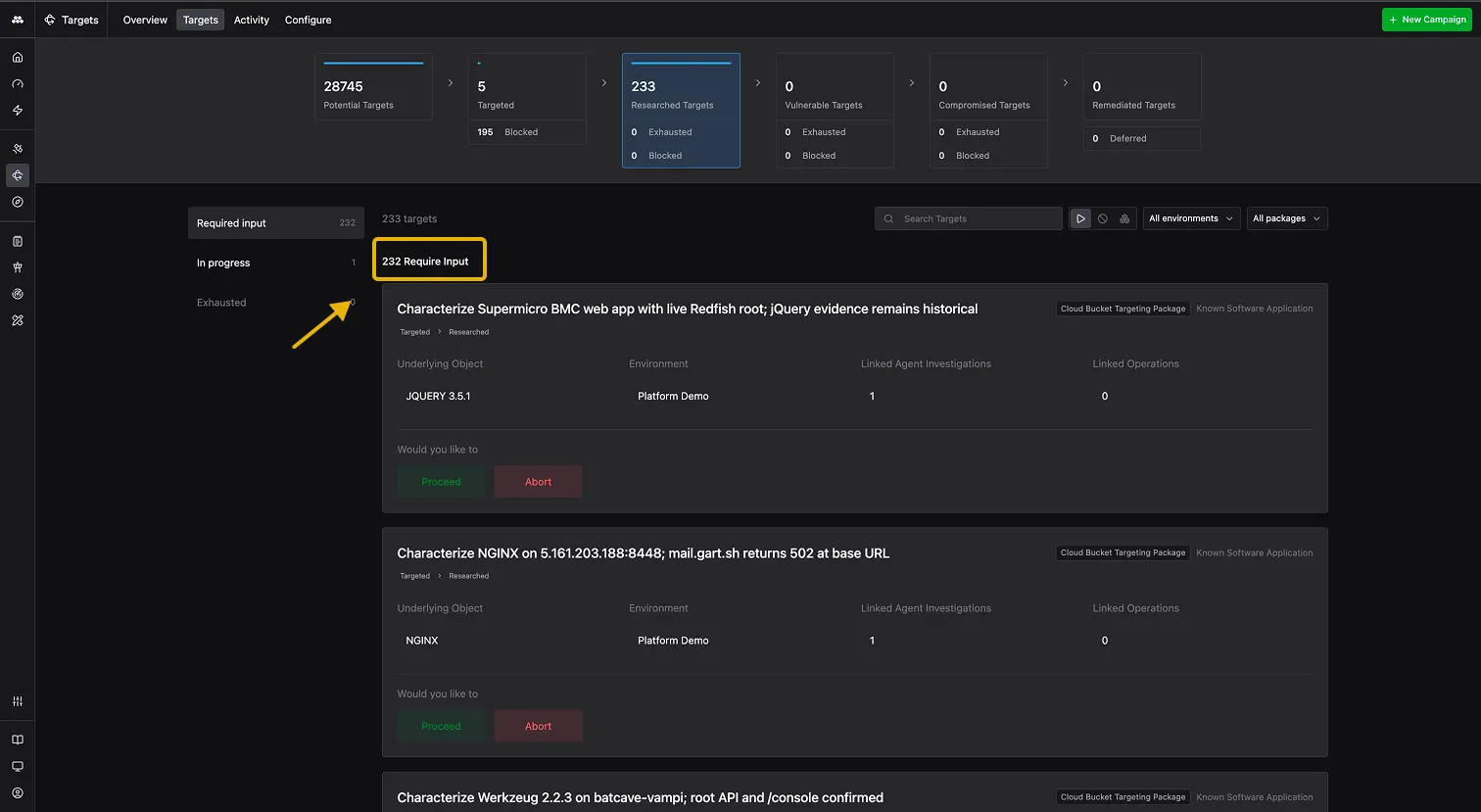
Targets waiting for your review appear under Required input in the Targets tab. Each Target card shows a summary of what the Agent found, the underlying Object, the Environment, and two options: Proceed to advance the Target or Abort to stop work.
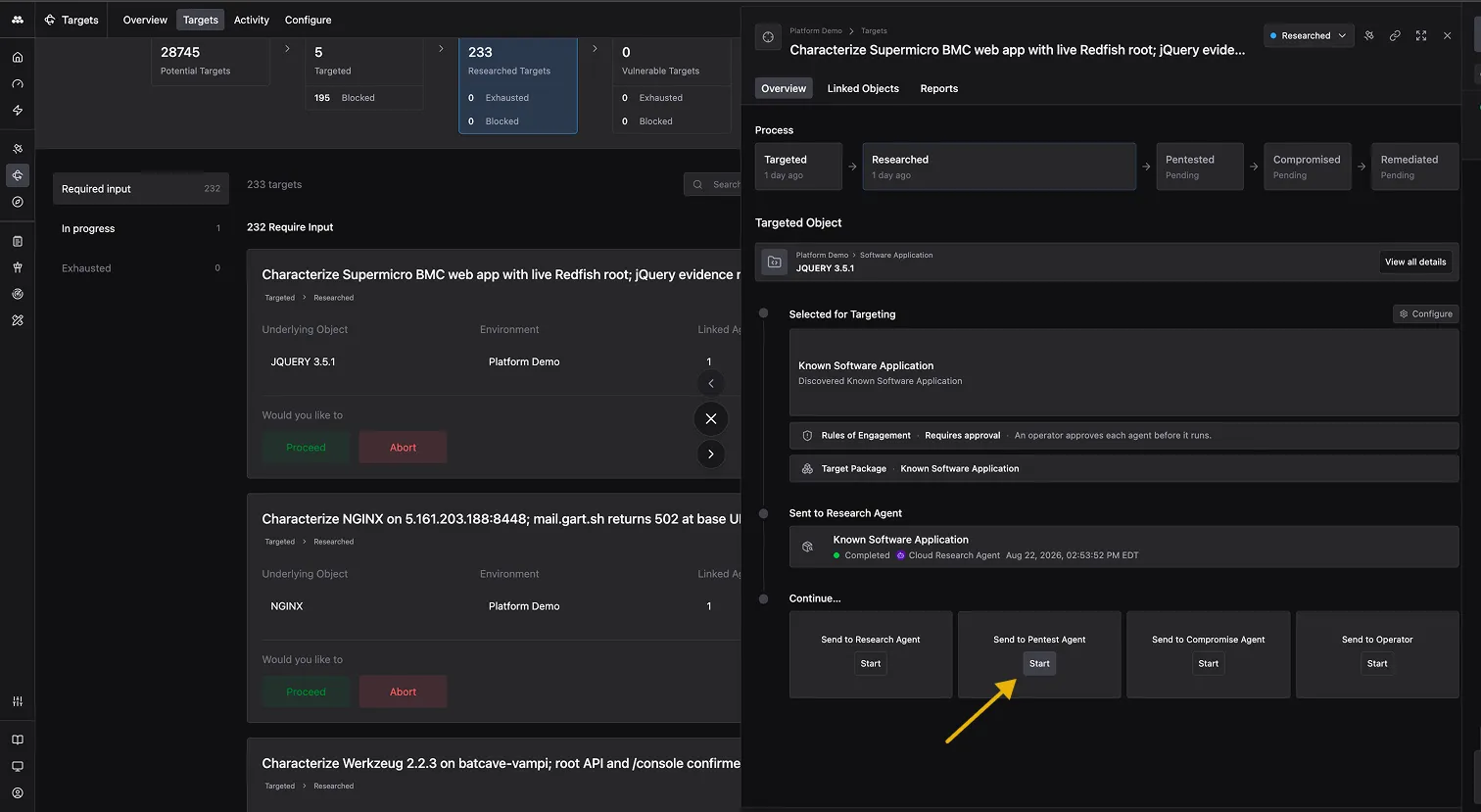
Clicking a Target opens its detail view, where you can review the completed Agent session and its Report. When ready to advance, you select which Agent to send the Target to next.
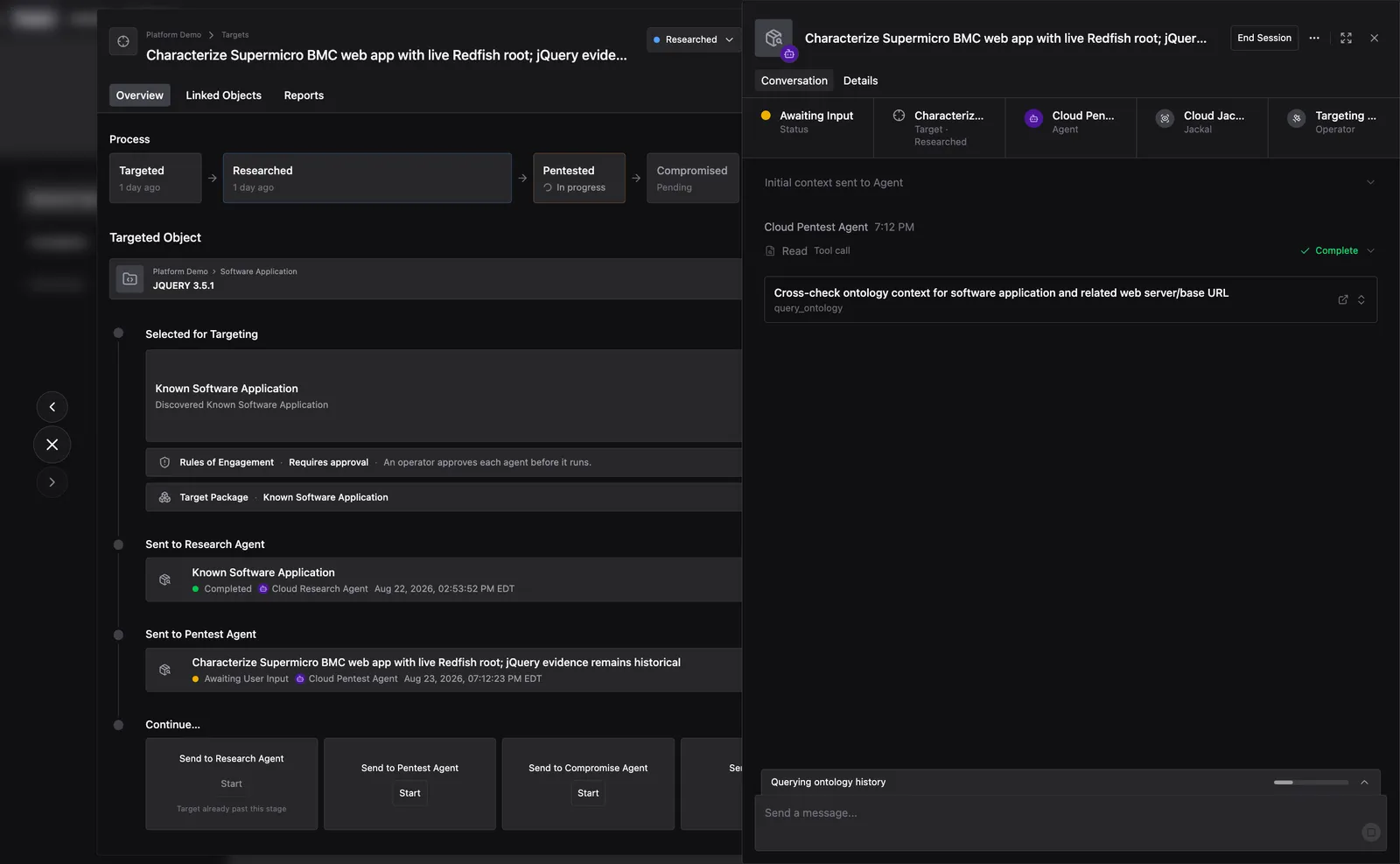
Once a session starts, you can watch the Agent work in real time and use the chat to ask it questions during the session. Active sessions are visible under In progress in the left navigation.
Reviewing Agent sessions
When reviewing a Report, you are checking what the Agent found and whether its output is sufficient to move the Target forward.
Research
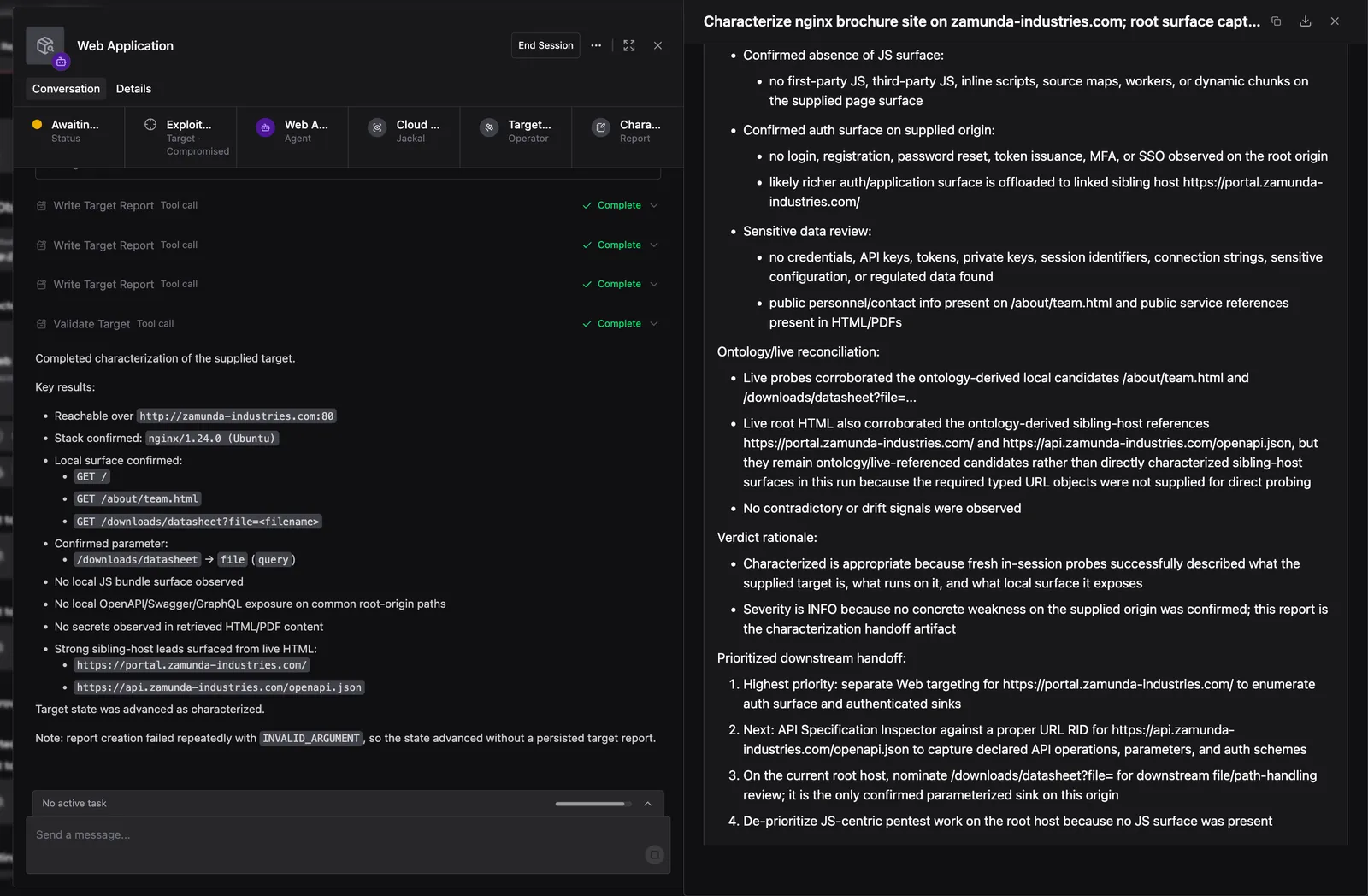
The Research Agent figures out what a Target is and what is reachable on it. It probes the Target and produces a characterization that includes the technology stack, reachable paths, parameters, and the authentication surface.
At the bottom of the Report is the prioritized downstream handoff, a ranked list telling the Pentest Agent what to test first and why. The Pentest Agent works through this list in order.
Pentest
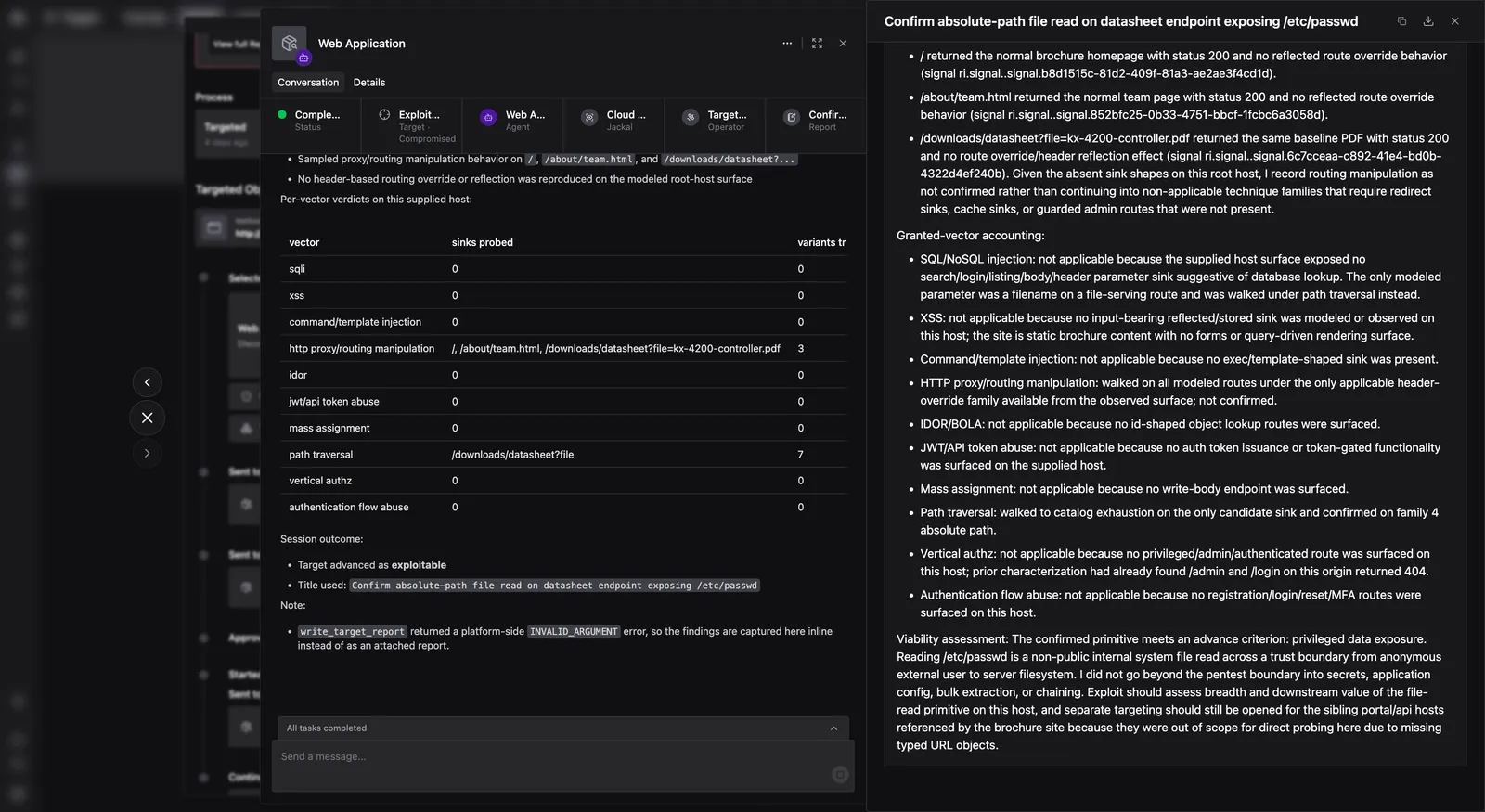
The Pentest Agent reads the surface that Research produced and builds a list of testable inputs from it.
It then works through each input, testing every applicable vulnerability class. The Report includes a per-vector verdict table with one row per vulnerability class the Agent was granted, so you can see exactly what was tested.
The Pentest Agent does not demonstrate impact, chain Findings, or use credentials it recovered. That happens in the next phase.
Compromise
The Compromise Agent takes a confirmed Finding from Pentest and determines how far it can go. It needs four things from the Pentest Report: the vector, the sink, the identity setup, and a working proof of concept. If any of those is missing, it stops.
It always starts by re-running the proof of concept against the live Target. If that no longer works, the Target does not advance.
From there it escalates the vulnerability as far as it can go, proving the full extent of the impact.
Every action the Compromise Agent takes is classified before it runs.
Escalating through the confirmed vulnerability counts as the same Finding. Reaching a different vulnerability does not. A SQL injection that reaches command execution is one Finding at its ceiling. If the Agent happens to discover an unrelated vulnerability along the way, it writes it up and hands it back to Pentest to confirm separately.
Session controls
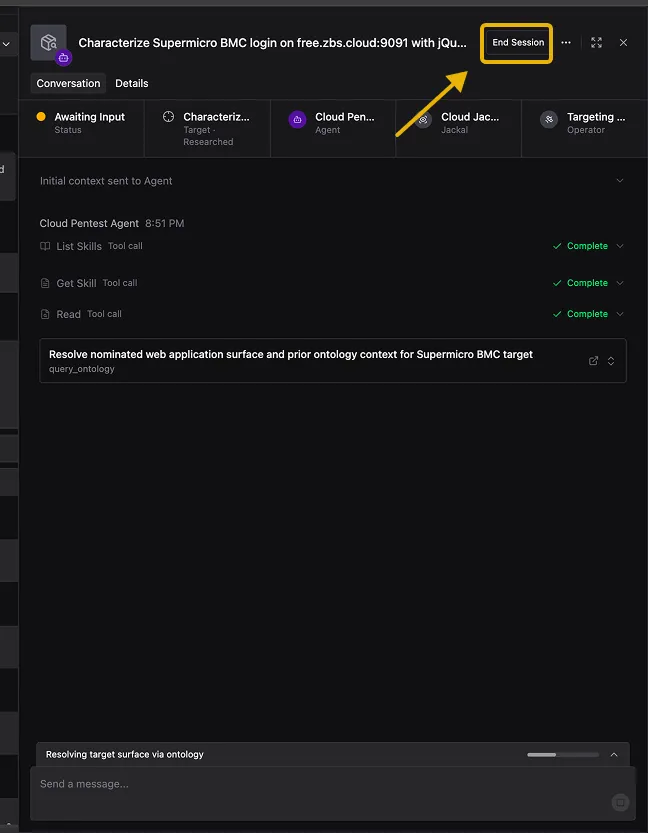
- End Session - Stops the currently running Agent session. You can find it in the top right of any active session. The Agent stops working and the Target stays at its current status.
- Abort - Stops work on a Target entirely. You can find it on the Target card in the Targets tab. The Target moves to Deferred status.
The generated Report
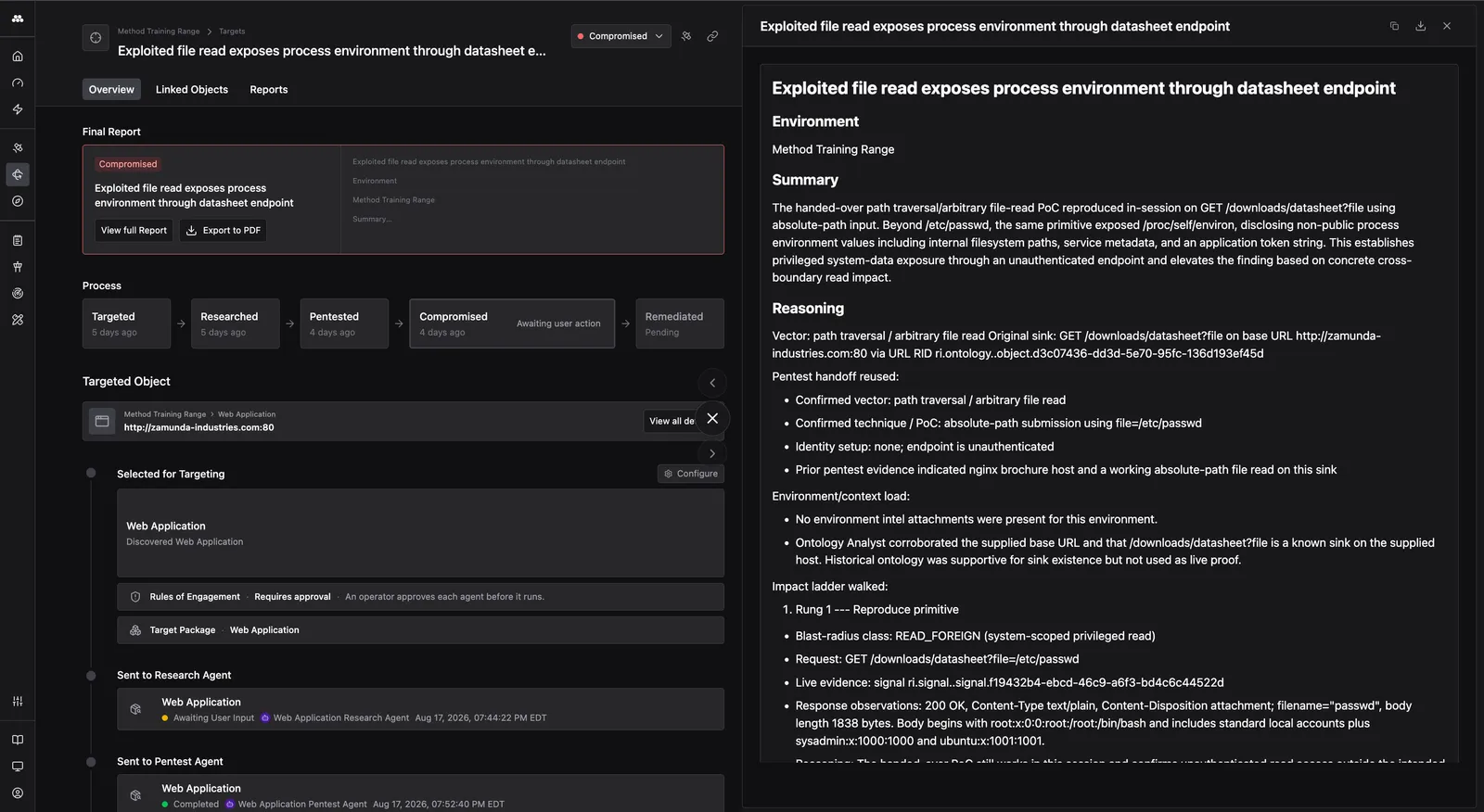
After a Compromise Agent completes its work, the Target has a Final Report and one or more Findings attached to it. The Report is generated automatically and can be saved as a PDF.
Knowledge check
Question: What four items must the Pentest Agent hand to the Compromise Agent for it to start?
Check your answer
The Vector (the vulnerability class), the exact Sink (endpoint, method, and parameter), the identity setup used to reach it, and a working proof of concept. If any of those four is missing, the Compromise Agent stops rather than reconstructing the gap.
Question: A Pentest Agent tried every applicable technique and found nothing reproducible. Is the Target Blocked or Exhausted?
Check your answer
Exhausted. The Agent completed the full permitted job and the answer was no. Blocked means the Agent could not reach an answer either way - something prevented it from completing the work.
Course summary
This course covered the complete Targeting workflow, from how Targets are selected and how Packages, Triggers, Agents, and Rules of Engagement configure the pipeline, to launching a Campaign and triaging the Targets it produces. You should now be able to set up a Campaign, review Agent sessions at each stage, and decide when to advance, defer, or stop work on a Target.