Bastion Dashboard
Understand risk across your organization — from enterprise-wide scorecards down to individual environment details.
Overview
The Bastion Dashboard is the primary exposure management interface. It provides visibility at every level of your organization:
- Across all environments in your estate
- Across specific subsets of of your estate (by environment tag or filter)
- Within a single environment
- Down to individual assets and issues within that environment
The dashboard is organized into three main views: Scorecard, Risk Types, and All Environments.
Scorecard

The Scorecard provides an at-a-glance view of which environments are performing best or worst on key health metrics. Each metric is paired with a 7-day trend to show whether it’s heading in the right direction.
By default, each card shows the top 5 environments. Hover over a card and click the right-arrow to view the full ranking in the All Environments tab.
Scorecard cards
- Riskiest Overall: Environments with the highest count of critical or high-severity issues. Toggle between absolute count (
#) and per-capita risk (%), where risk is proportional to the count of assets in each environment. - Healthiest Overall: Computed by average close time for critical/high issues (clock icon) or by fewest medium/high/critical issues (alert icon).
- Most New Issues: Environments with the most new issues over the last week, highlighting upticks in risk.
- Most Closed Issues: Environments that resolved the most issues over the last week.
- Least Coverage: Environments with assets that exist but were not monitored via a task run in the last 7 days.
- Most New Assets: Environments with the most newly discovered assets. Not inherently good or bad, but worth investigating.
Risk Types
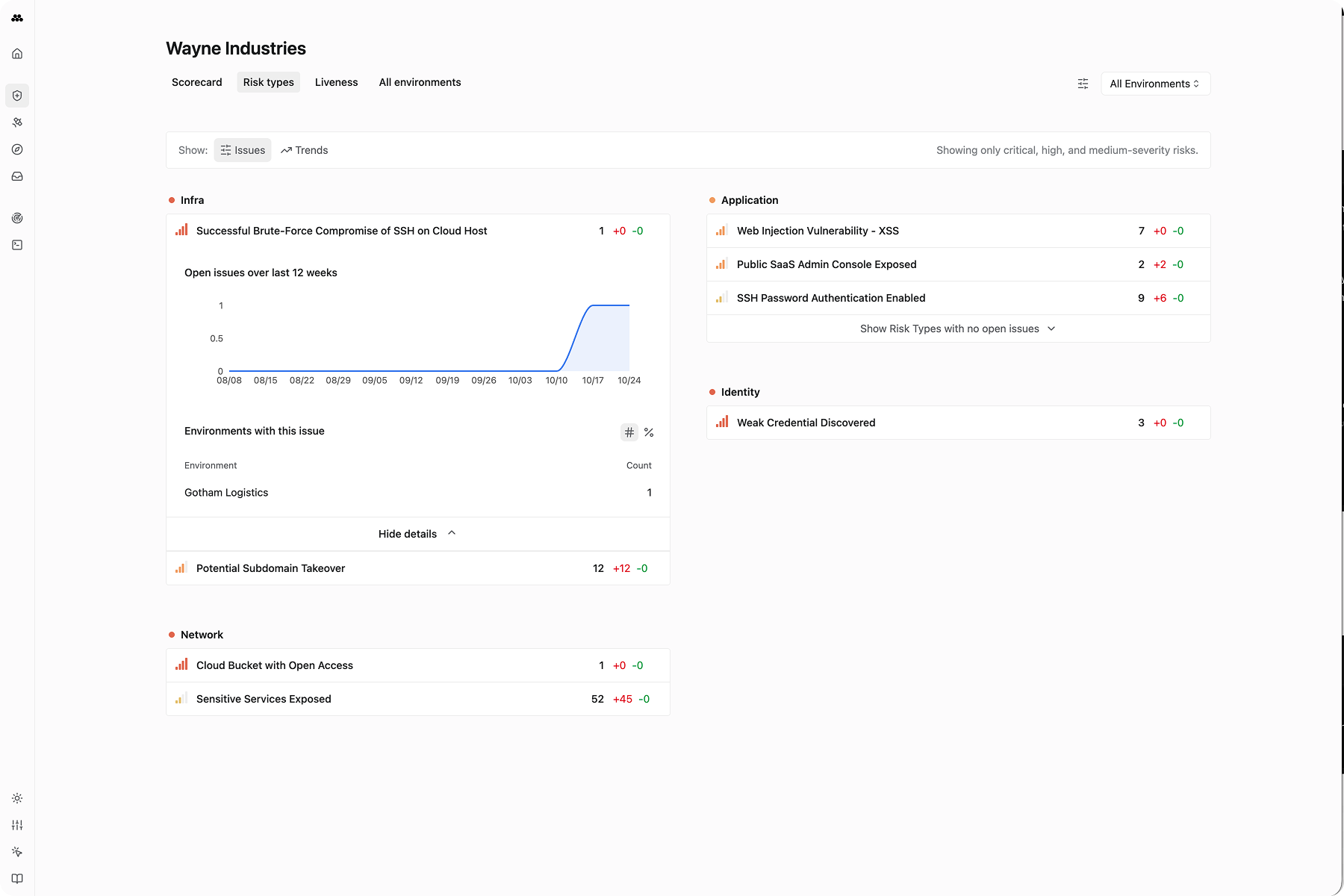
The Risk Types view shows open high-severity and critical-severity Issues across environments, categorized by the kind of risk they represent:
- Exposures
- Vulnerabilities
- Other
For each risk type, you can view:
- Most common issues within each category
- Which environments have that risk type
- Week-over-week change in prevalence
- 12-week trend across all environments
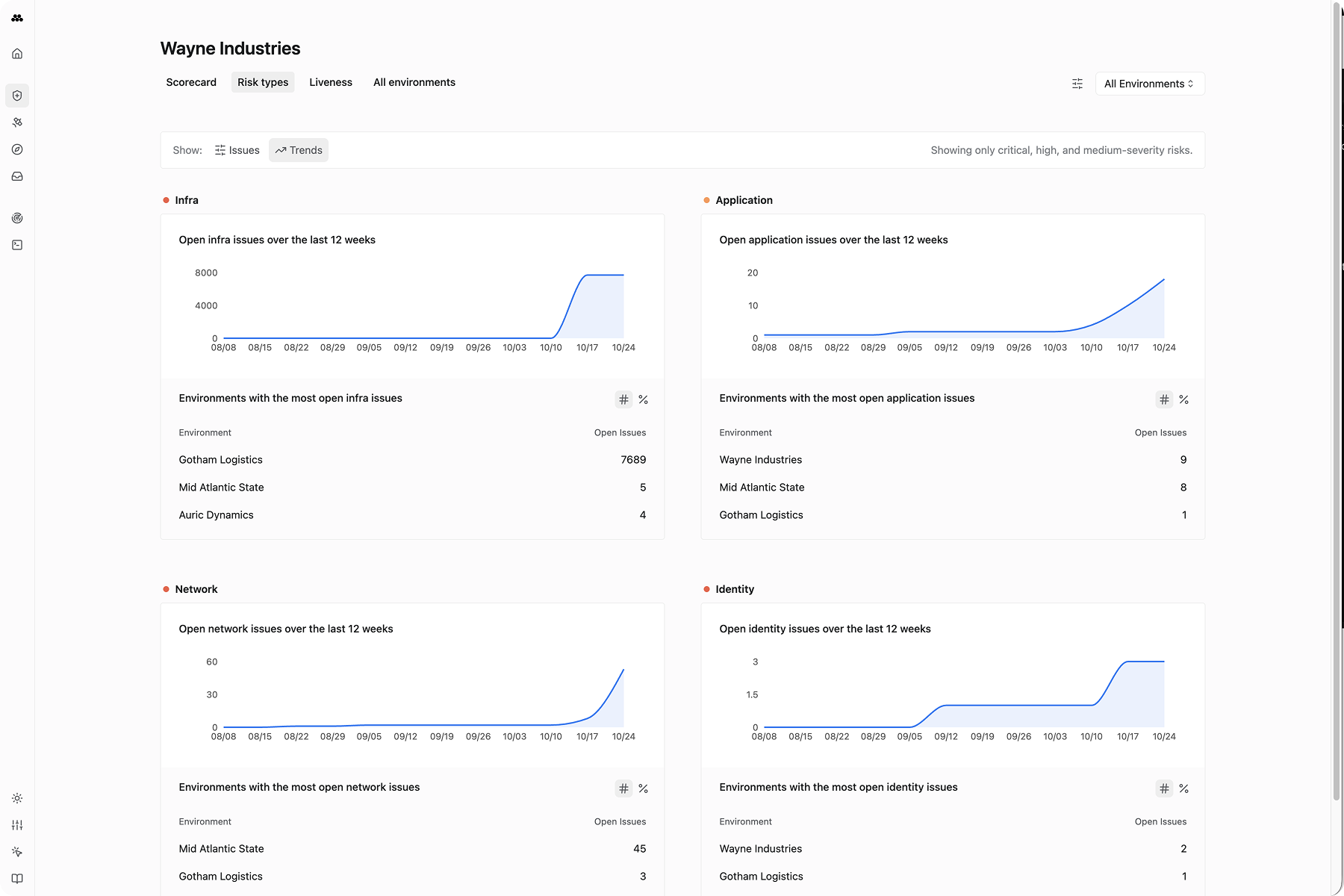
Switch from the Issues view to the Trends view to see how the prevalence of each risk type has evolved over time.
Environment Detail View
Bastion provides a detailed view of each individual environment with three tabs:
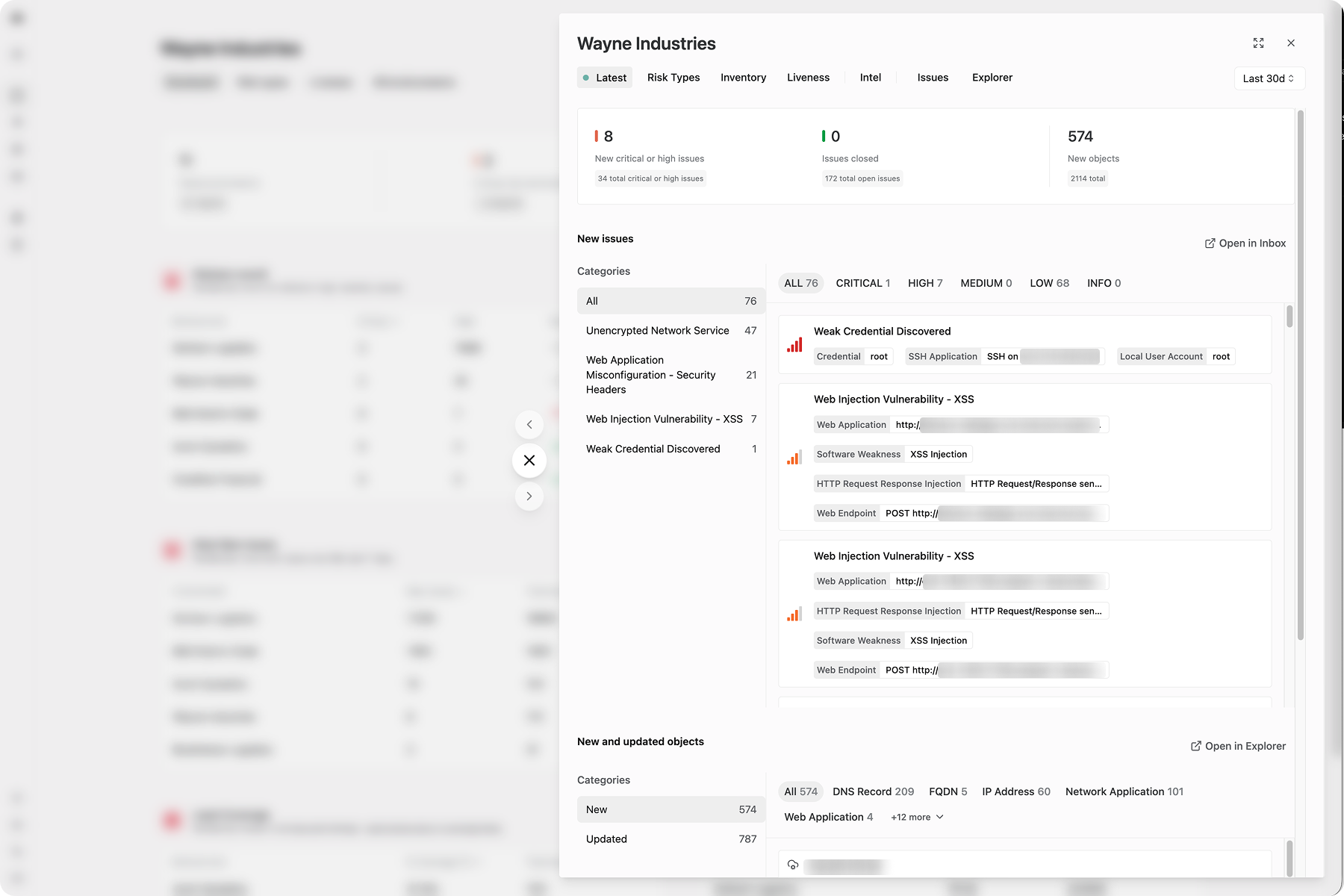
Latest changes
Shows new Issues and Objects discovered within a configurable time period (default: last 24 hours). Use newly discovered issues and objects to manage changing risks — open new issues to validate them, then triage for resolution.
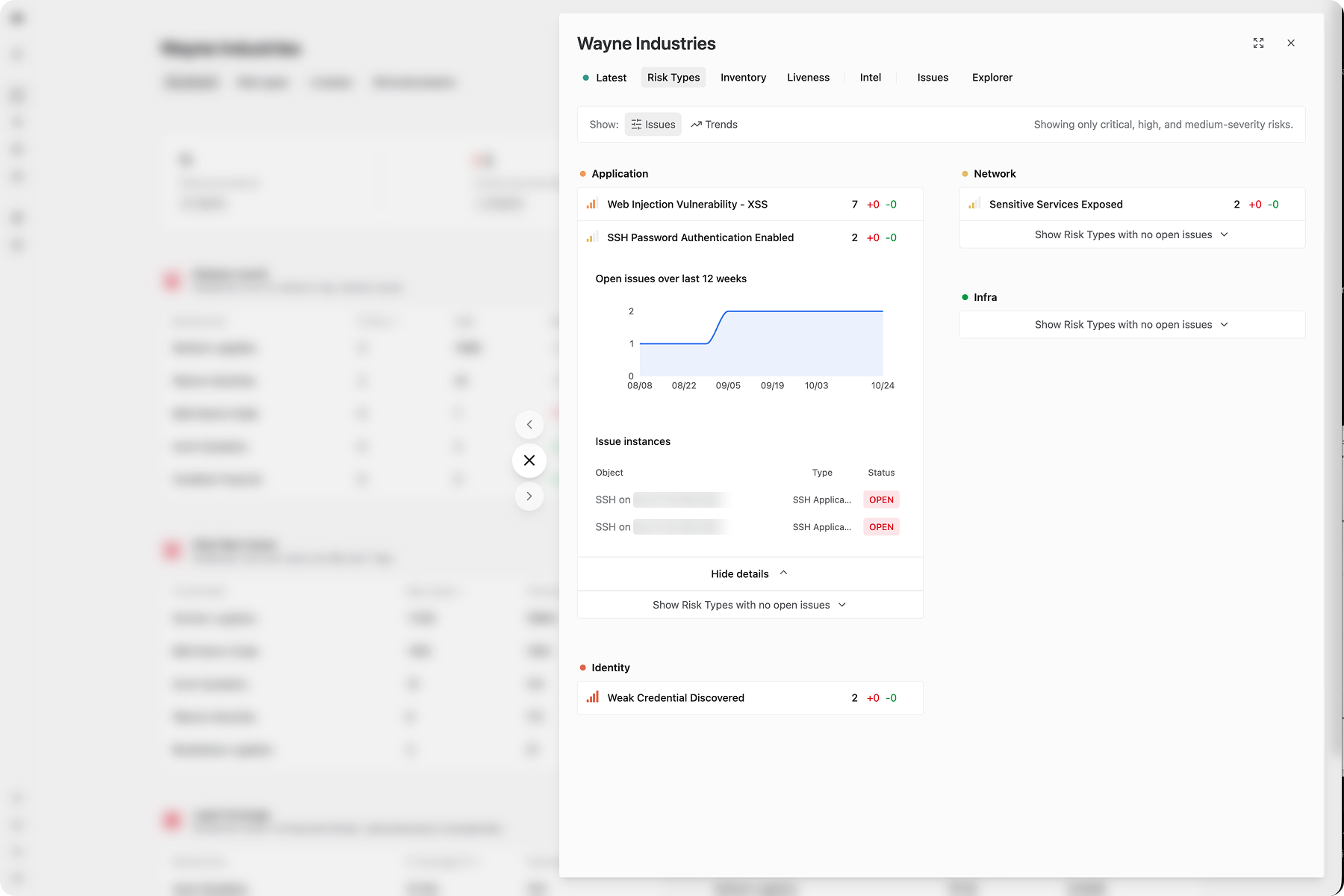
Risk Types
The same risk categorization as the cross-environment view, scoped to one environment. Shows patterns in the Issues that this specific environment contains.
Inventory
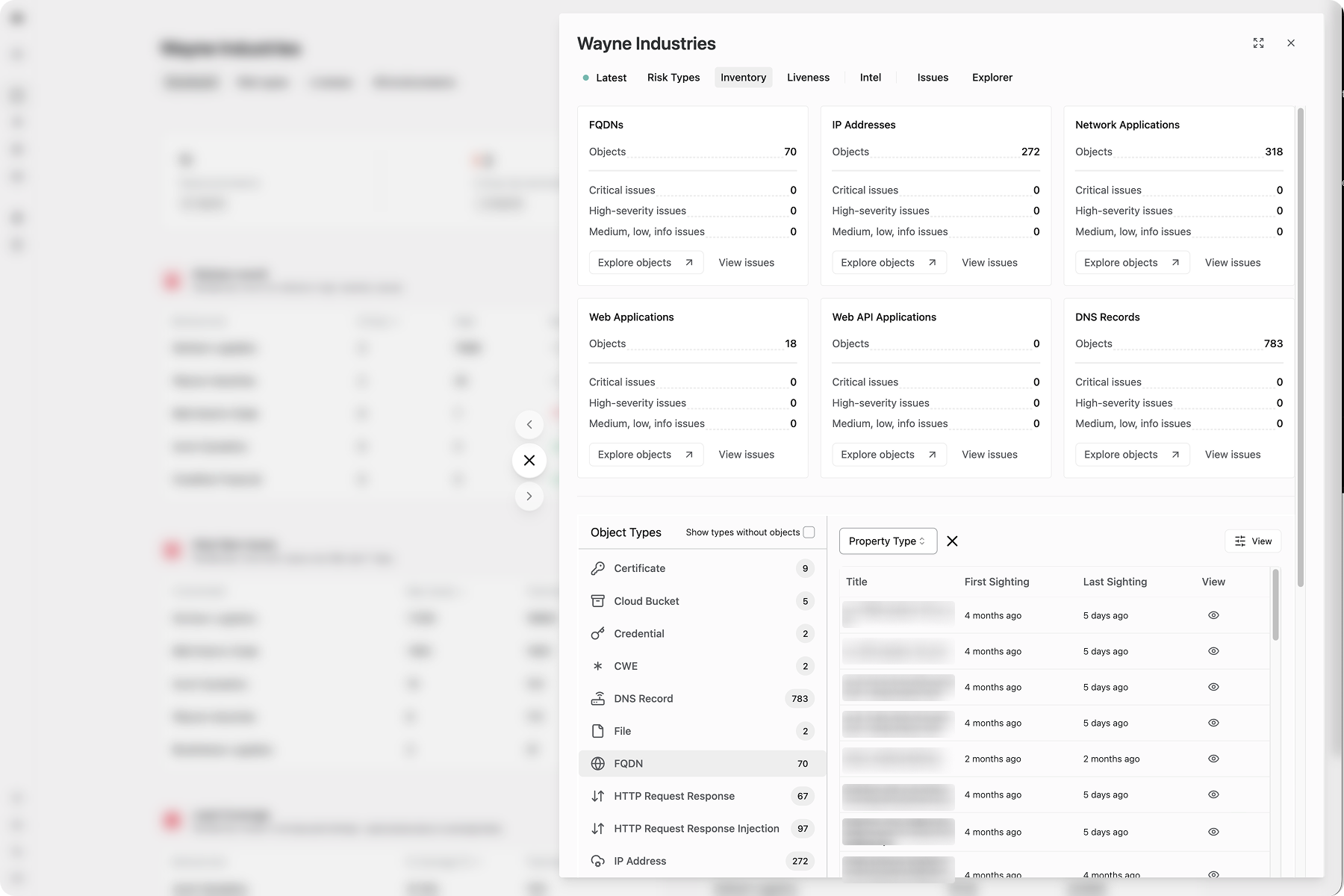
Displays the object types, counts, and related issues in the environment. For complex filtering, pivot to Explorer.