

Issues
How security risks are represented, investigated, and managed in Method Platform.
What is an Issue?
Method’s Ontology is a strongly typed data model that adds a semantic layer to data assets and their relations, making data legible to both users and AI. Security risks in the Ontology are represented as Issues.
Issues are defined by a series of logical steps that take object discoveries and interrogate specific properties to determine if there are exposures, misconfigurations, vulnerabilities, or other risks.
Method tracks dozens of potential security risks using Method-defined Issue definitions as well as third-party integrations (e.g. Tenable).
Issue details
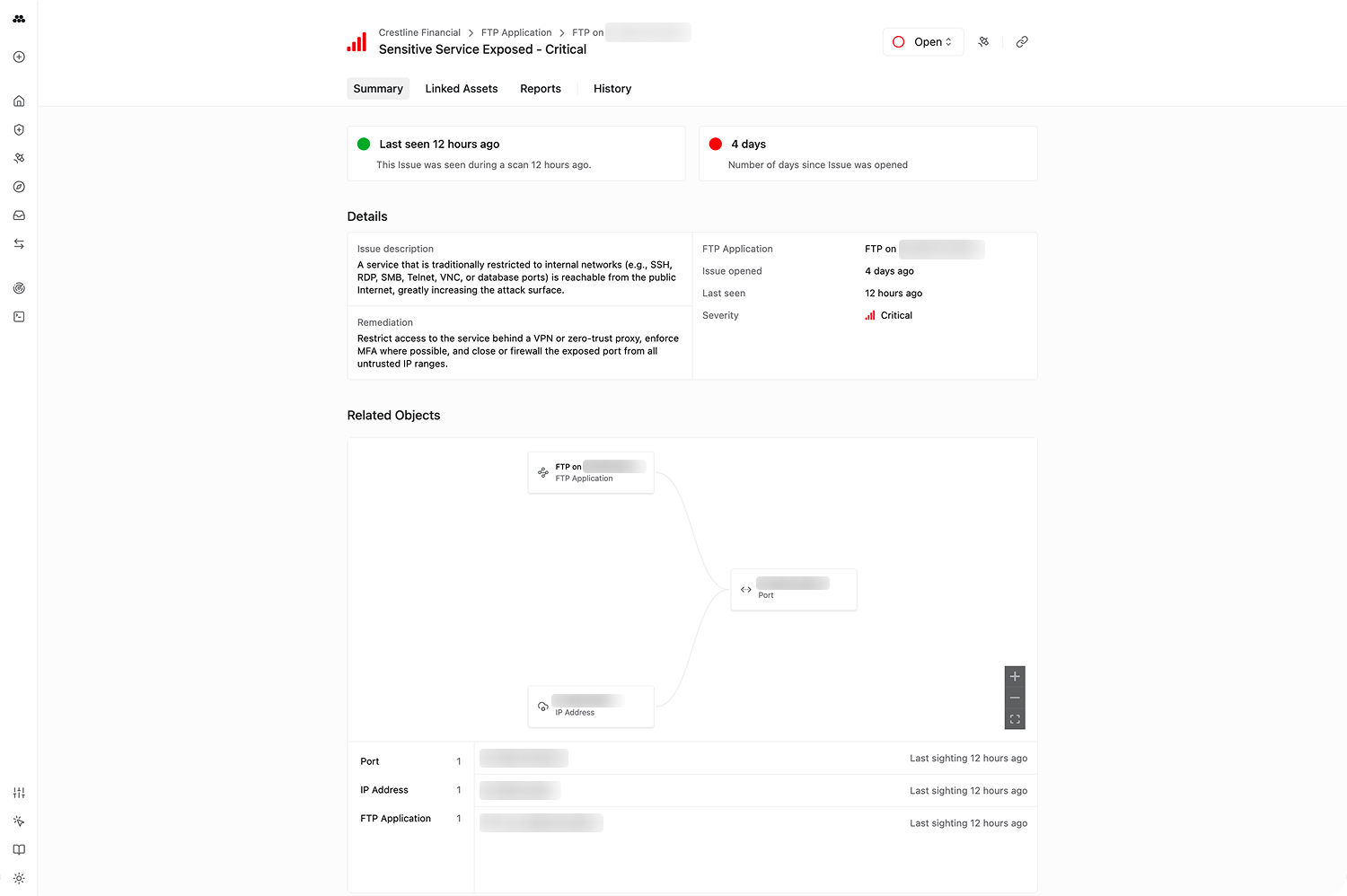
Every Issue includes:
- Severity: Critical, High, Medium, Low, or Informational
- Description: What the issue is and why it matters
- Linked assets: The Objects affected, with a graph showing relationships between impacted assets
- Remediation guidance: Steps to resolve the issue
- History: When the Issue was first seen, last seen, and every observation in between
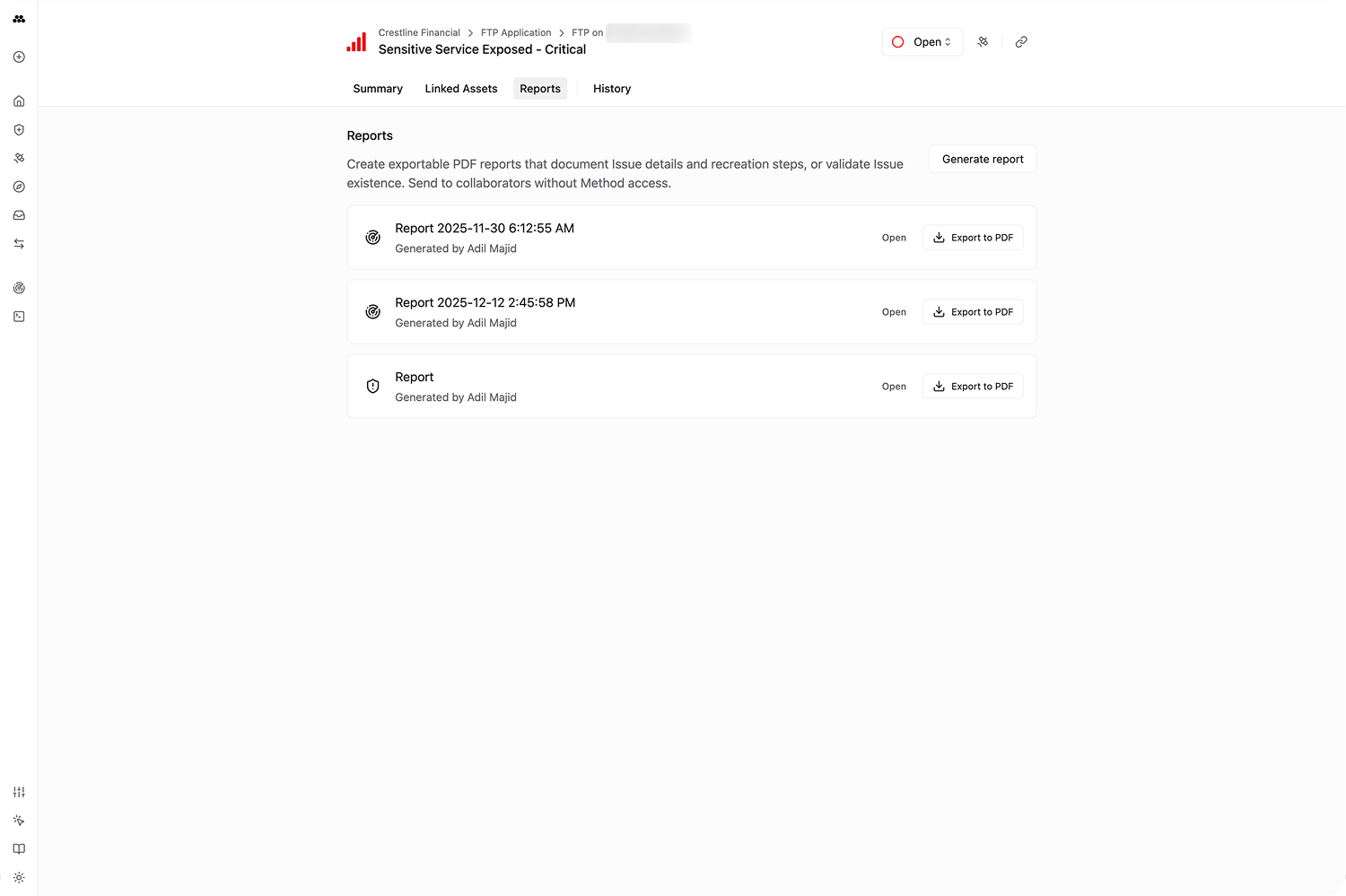
- Reports: Auto-generated reports that can be exported to PDF
Issue status
Issues follow a lifecycle:
- Open: Default state when an Issue is discovered
- Assigned: Under investigation or triage
- Closed: Resolved. When closing, you can mark it as Resolved, False Positive, or Accepted Risk
Daily rescanning
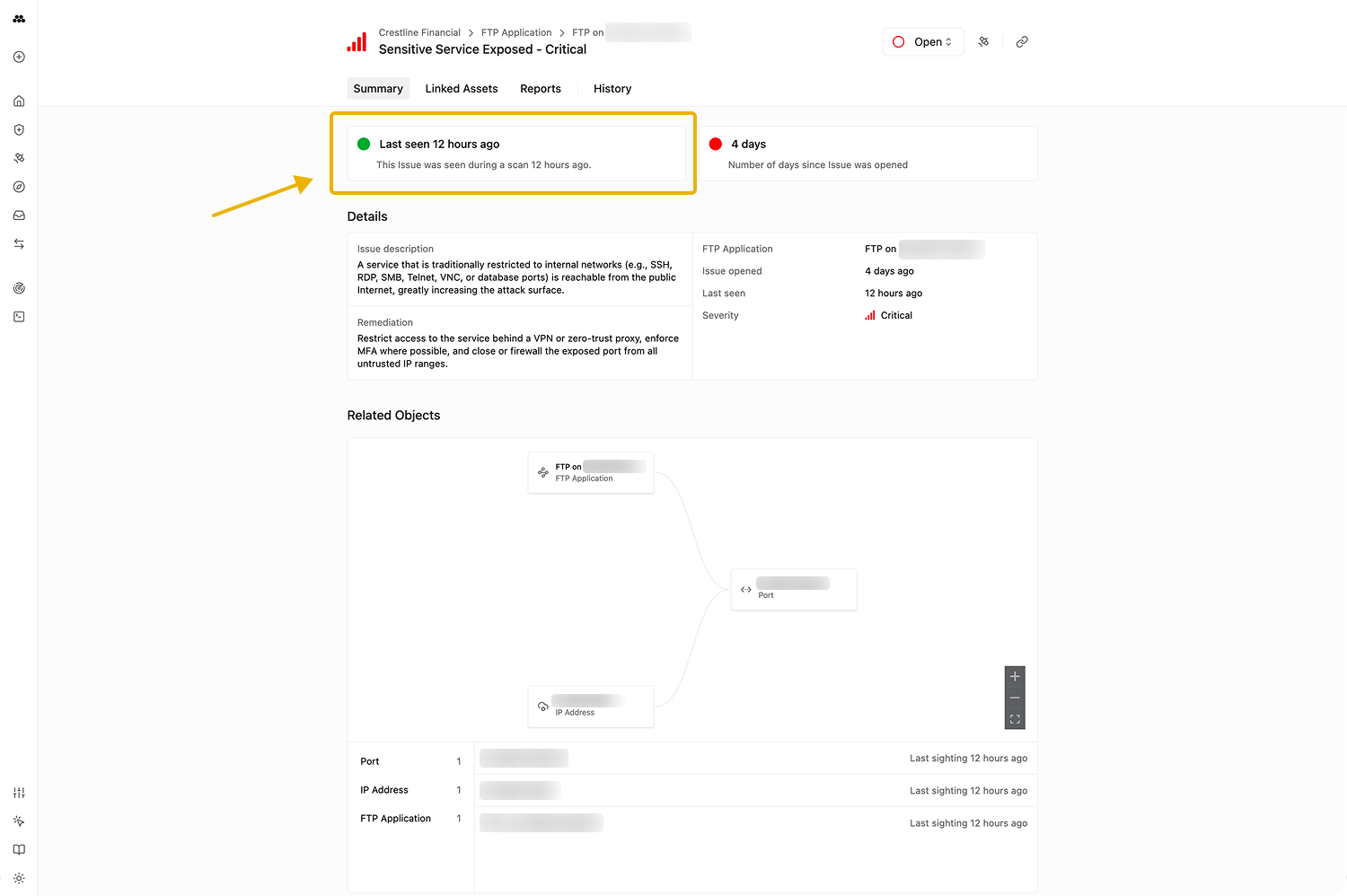
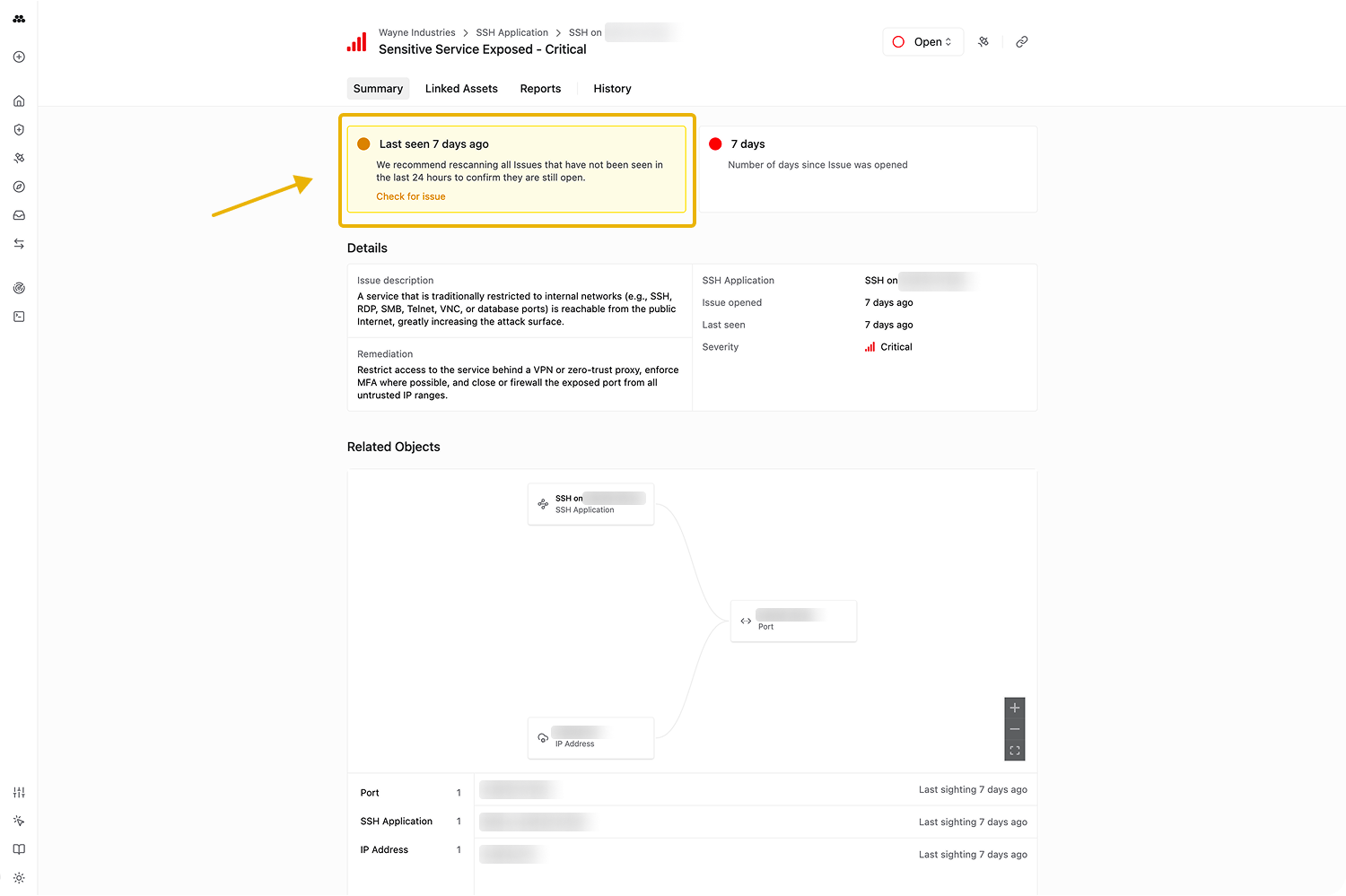
Method is configured to scan your environments either hourly, daily, or weekly. Open Issues are re-observed each day they remain active. The Issue View reflects this with a green dot (seen in the last day) or a yellow warning (not seen in the last day).
Issues can also be manually rescanned on demand; results typically return within seconds to a couple of minutes.
Report generation
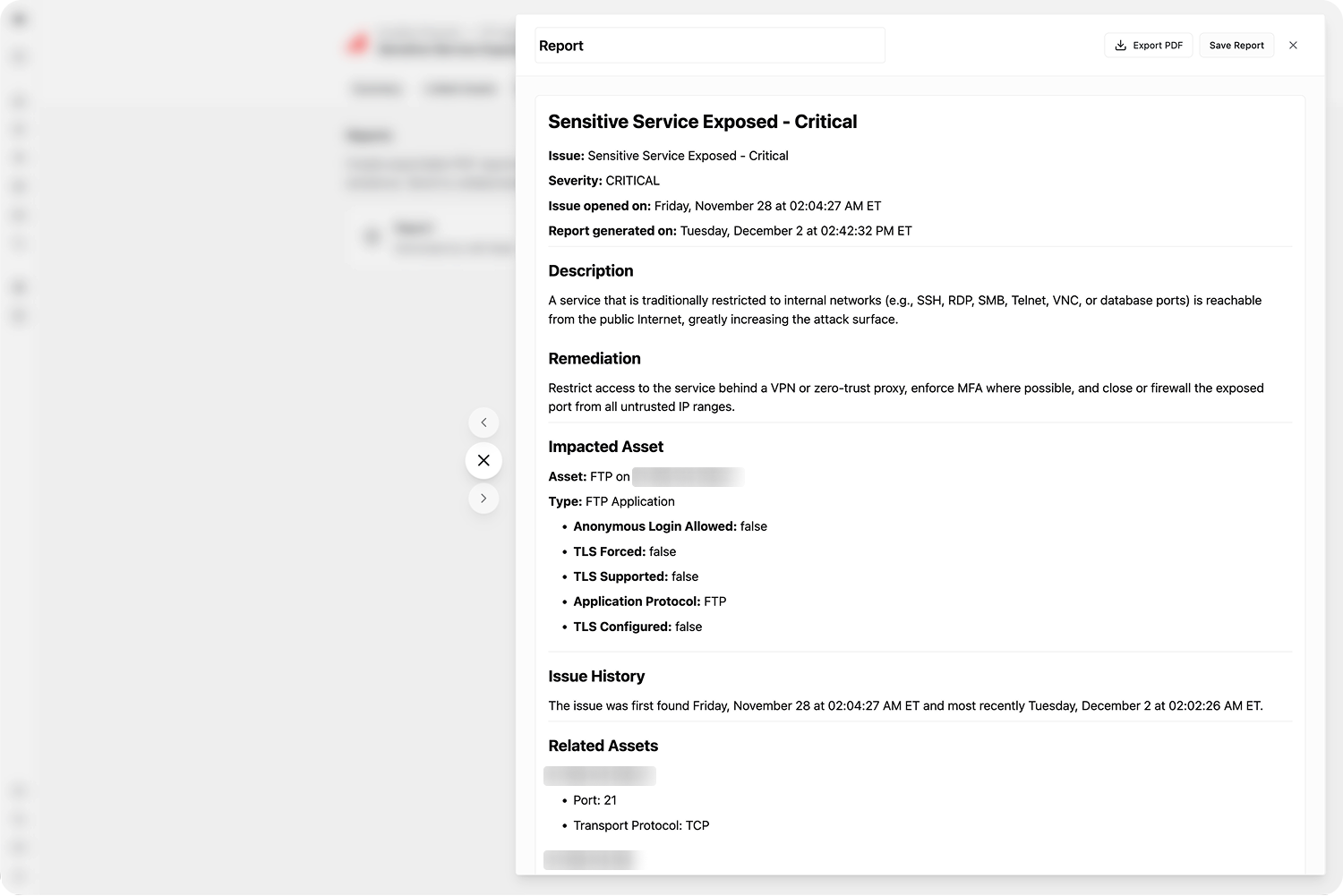
Every Issue supports one-click Report generation. Method compiles all Issue details — severity, description, linked assets, remediation guidance — and runs a quick scan to fetch the raw signal underlying the impacted asset. Reports can be exported to PDF.
Investigation in Operator
Issues can be sent directly to Operator for live investigation. Method sets up the Operation with the Issue context and underlying assets, landing you in Operator with AI suggestions to help investigate.
The Issues application
The Issues application is where you explore, filter, and triage Issues across all environments.
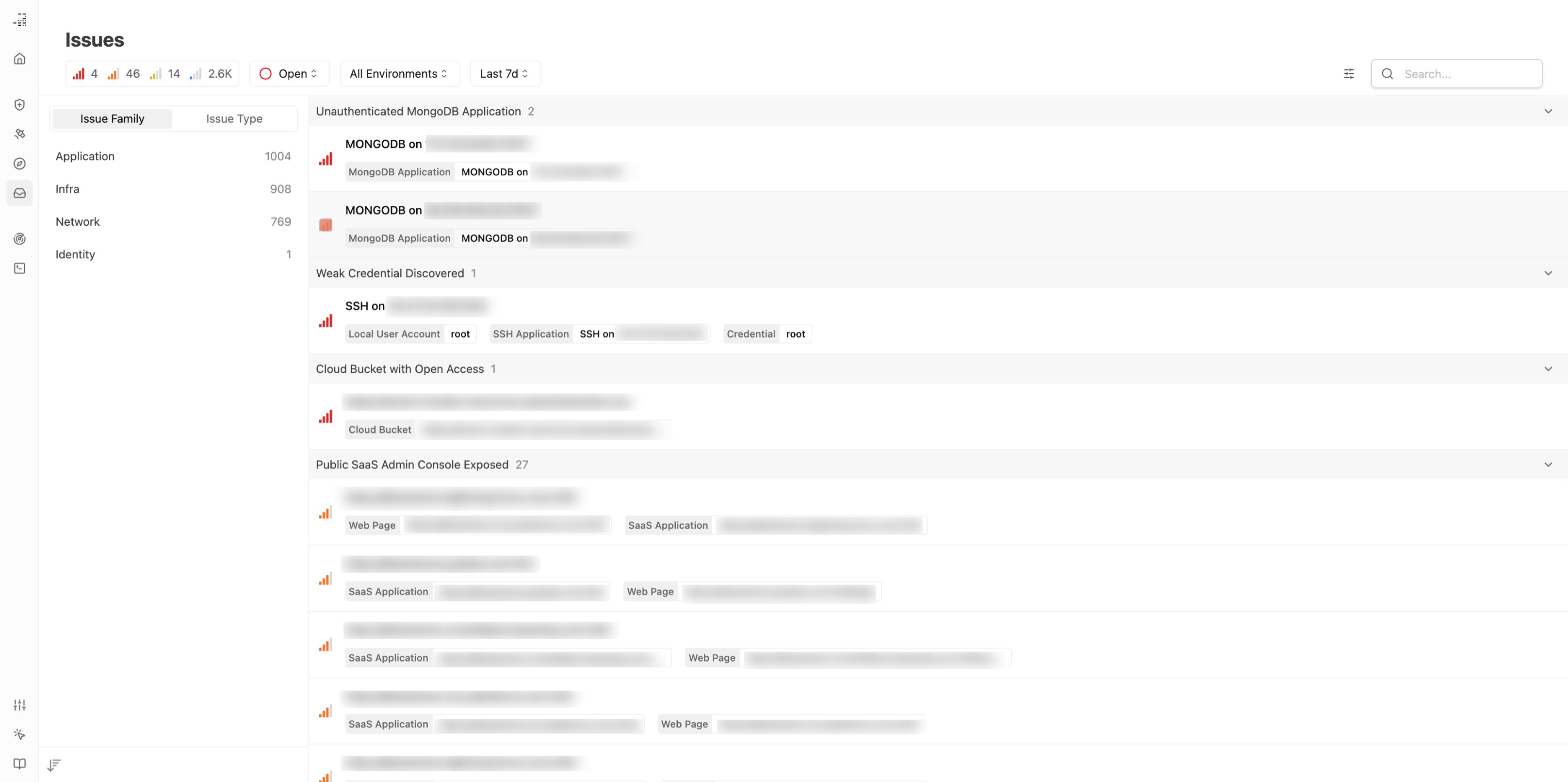

Filter Issues by family, type, severity, environment, or tag. Each Issue has a dedicated Issue View with description, linked assets, graph visualization, reports, and history.
Overriding default Issue type severities
Issue severity can be overridden globally for a specific Issue Type or at the Environment level. Overrides apply upon the next discovery of existing Issues or when new Issues are found.
For a walkthrough on filtering and closing Issues, see Filter and close Issues. For configuring severity overrides, see Configure Issue severity overrides.