

Automations
Automations run security workflows against your Environments on a recurring schedule. A Task defines the work, Automator schedules and monitors it, and every run records the Objects it discovered and the Findings it surfaced.
Automator
Automator is the application for creating, monitoring, and managing automated workflows.
Overview
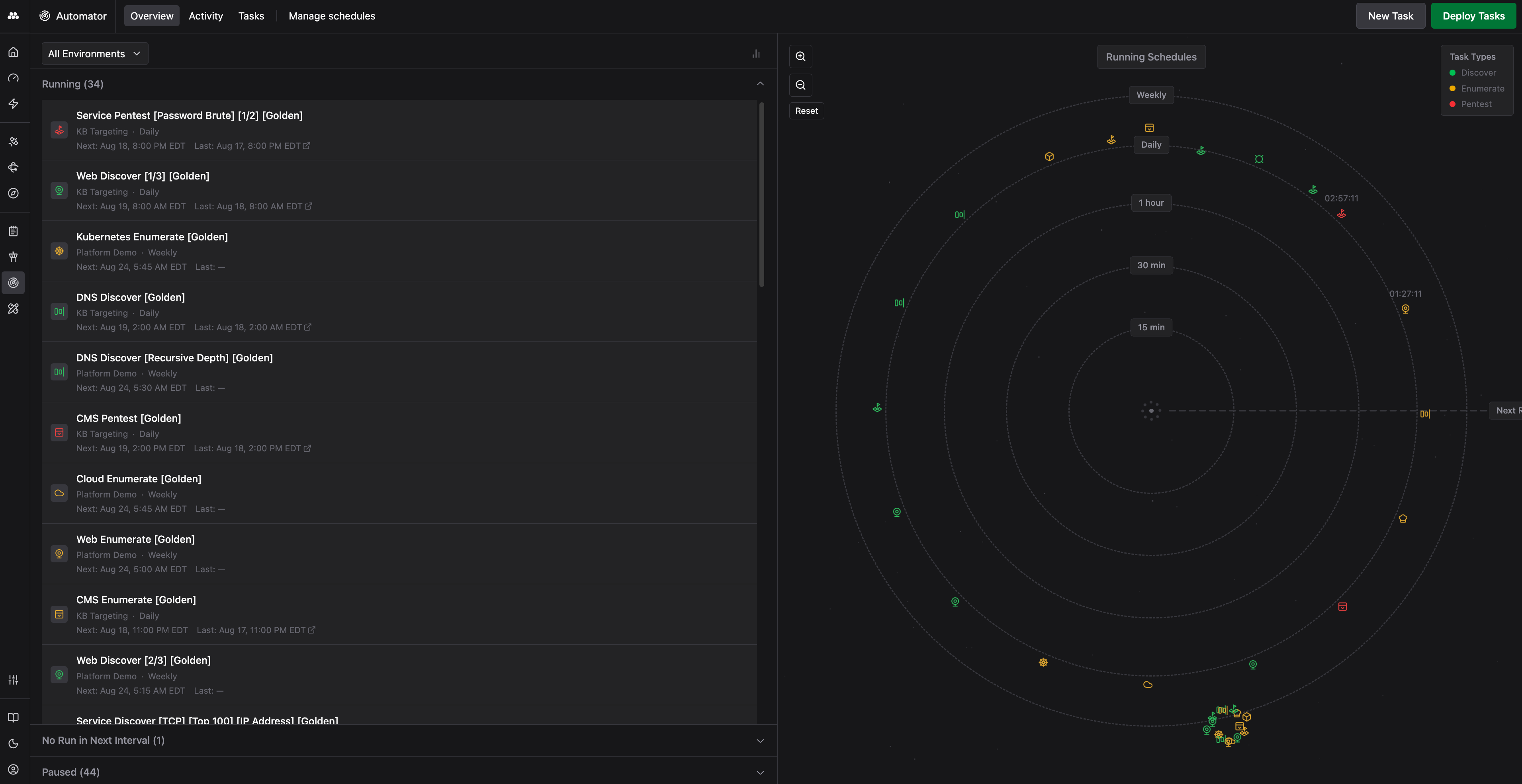
The Overview tab shows what is happening live across your Environments. The orbital diagram plots each schedule by how soon it runs next. Rings mark the 15 minute, 30 minute, 1 hour, daily, and weekly cadences, and each Task Type carries its own color. Alongside the diagram, schedules are grouped into Running, No Run in Next Interval, and Paused.
Activity
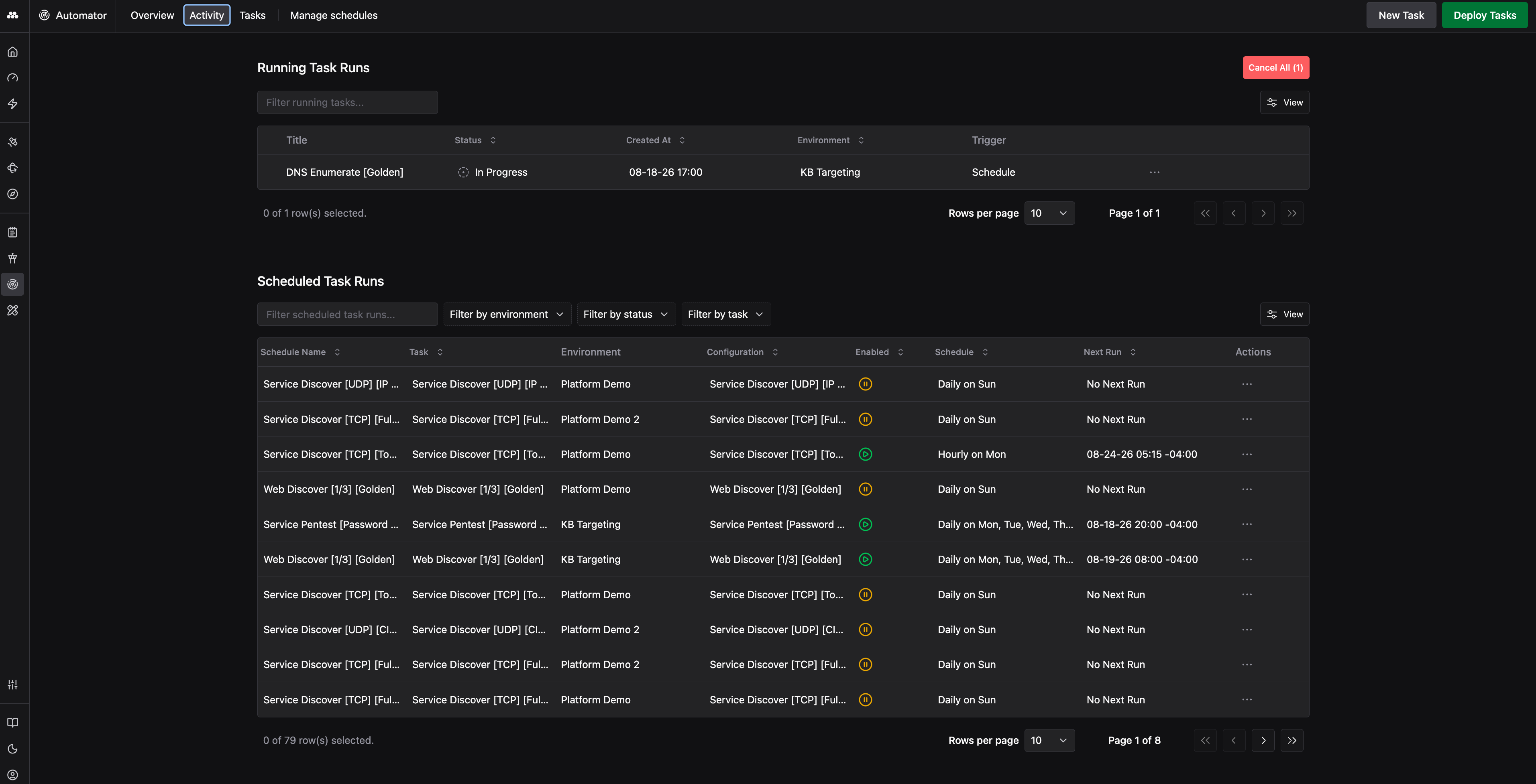
The Activity tab lists Running Task Runs and Scheduled Task Runs in sortable tables. Filters narrow the list by Environment, status, or Task, and each row carries actions to cancel a running scan or to enable, disable, and edit a schedule.
Tasks
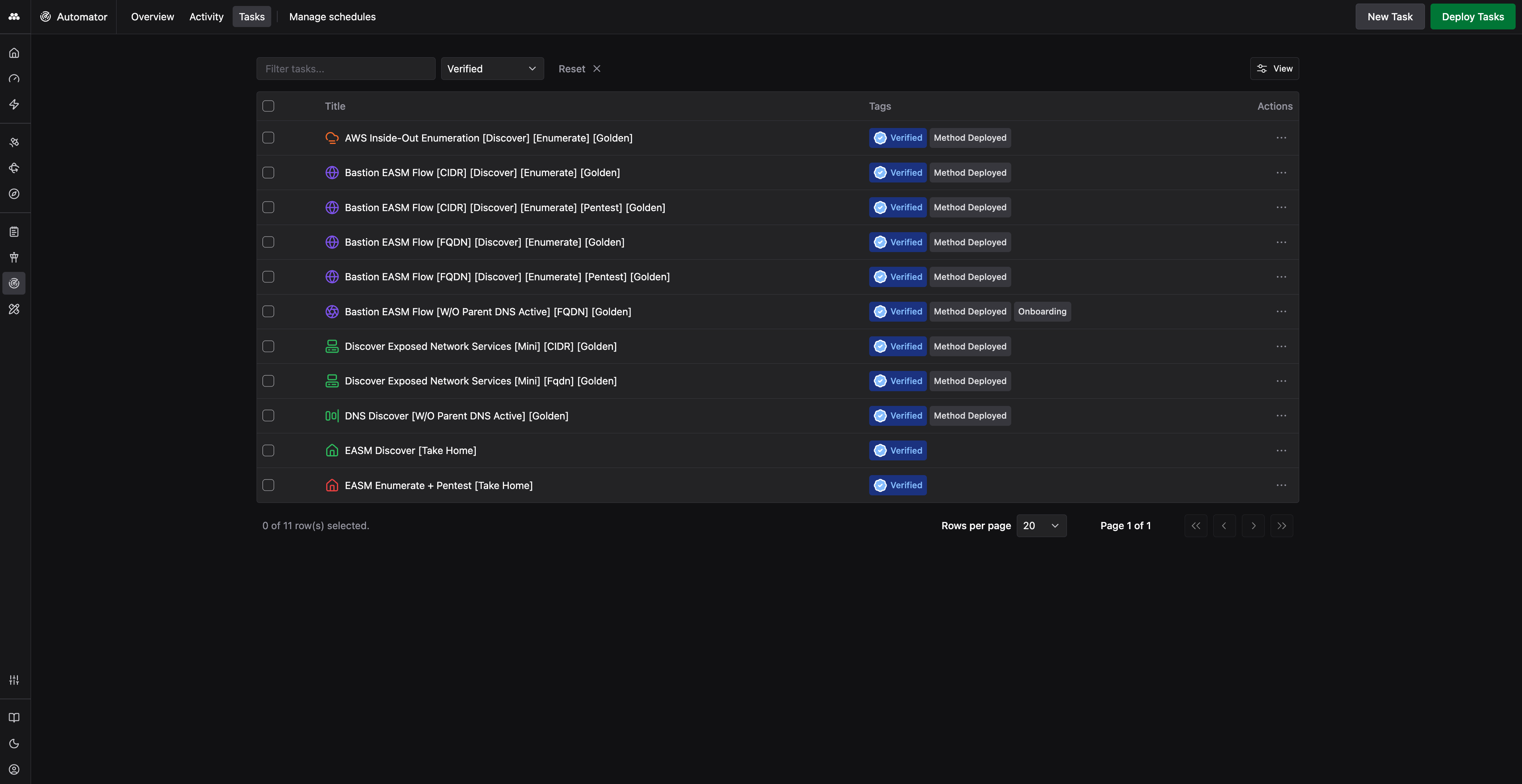
The Tasks tab is where you create, view, and manage your saved Tasks. Each Task defines its metadata, parameters, Tools, and execution plan. Tags identify where a Task came from and how far it has been validated, including Verified and Method Deployed for the Tasks that Method ships and maintains.
Manage schedules
The Manage schedules tab deploys Tasks and changes schedules in bulk. Selecting Tasks across specific Environments enables, disables, or modifies their schedules together instead of one at a time.
For the recommended way to stand up scanning across an Environment and control it once it is running, see Black Box External Assessment.
What is a Task?
A Task is a discrete workflow that orchestrates one or more Tools to assess assets or accomplish security goals. Tasks define:
- Which Tools to run and in what order
- Input parameters: the Objects to run against, configurations, and context
- Execution plan: a graph of Tool executions with dependencies
Build, save, and schedule Tasks in Automator for recurring execution.
Task Runs
Running a Task creates a Task Run. Task Runs capture the full execution record: which Tools ran, what Objects they discovered, what Findings they surfaced, and how long each step took.
How scan schedules work
You set each Task to run on a recurring cadence. Method launches it automatically at the intervals you define, keeping your Environment data current.
Method spreads scheduled Task Runs out across the schedule rather than launching every Task at the same moment. This tests your network continuously instead of sending one burst of traffic at your infrastructure all at once.
Blackout windows
Blackout windows control when Method scans are allowed to run. The hours outside them are what each scan has to work with, so leave enough time for scans to finish and populate the Ontology with the Objects they find.
To get the most out of the platform, allow as much time as possible for scanning to take place, so Method assesses your Environments continuously.
Scan-scoped and Environment-scoped windows
Scan windows and Agent activity are separate concepts, and you can scope a window either way:
- Scan-scoped window: applies to a single scan, leaving other scans and Agent activity in the Environment unaffected. You configure it in Automator.
- Environment-scoped window: applies across the Environment and covers Agent runs as well as scans. You configure it on the Environment in the Administration app.
Partial runs still populate the Ontology
A scan that is only partly finished when its window closes still contributes what it found. Method records the Objects discovered inside the window, so the Ontology hydrates partially rather than not at all.
Rate limiting
Method can rate limit scanning. Adjust the requests per second a scan issues to match what your infrastructure can absorb, and adjust the scan window alongside it.
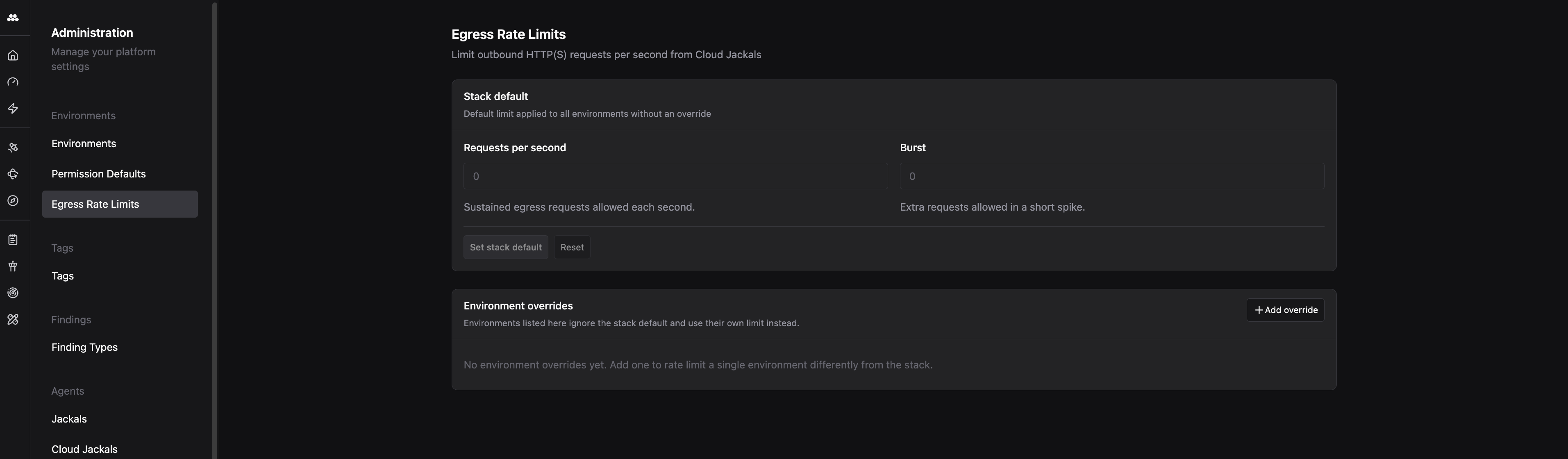
You configure the request rate in the Administration app under Egress Rate Limits, which caps outbound HTTP(S) requests from Cloud Jackals. Two settings control it:
- Requests per second: sustained egress requests allowed each second
- Burst: extra requests allowed in a short spike
The instance default applies to every Environment that has no override. An Environment override lets a single Environment run at a different limit from the instance default.
The request rate and the scan window both change how quickly the Ontology hydrates. A lower request rate puts less load on your network, but it also means each scan discovers Objects more slowly. Use the two together to balance the risk a scan poses to your infrastructure against how fast and how completely you cover the Environment.
Scans feed the Targeting funnel
Scans populate the Ontology with Objects, and those Objects are what Targeting acts on. Each Targeting Package filters them through its Triggers, and every Object that matches becomes a Target that enters the Targeting funnel.
Scan coverage therefore sets the size of the funnel. More frequent and more complete scans produce more Objects for your Packages to filter, and more Objects means more Targets for Agents to work. See Targeting for how Targets advance once they enter the funnel.
For step-by-step guides, see Create your first Task and Run a Task.