Managing permissions
This page includes instructions for platform administrators to manage group membership and permissions within the Method Platform. Please see the Security Administration page for a conceptual overview of the platform’s authorization model.
Group membership administration
Use the Groups page in the Administration app to create and delete groups, and the Members tab of the same page to add or remove users from those groups.
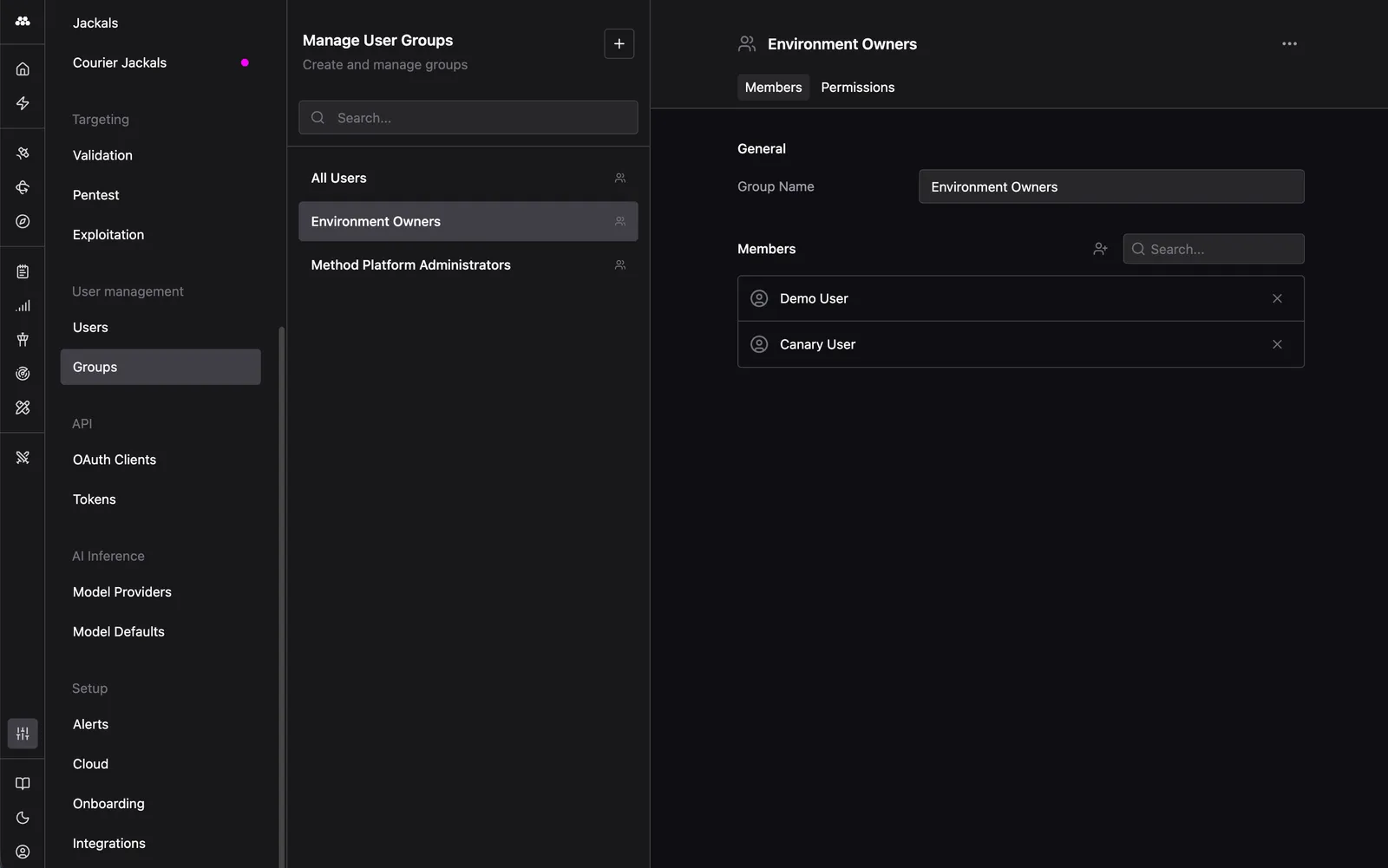
If you use SCIM to synchronize group membership to Method instance from your identity provider, then group membership cannot be altered within the platform, and is controlled by your identity provider.
Permission management
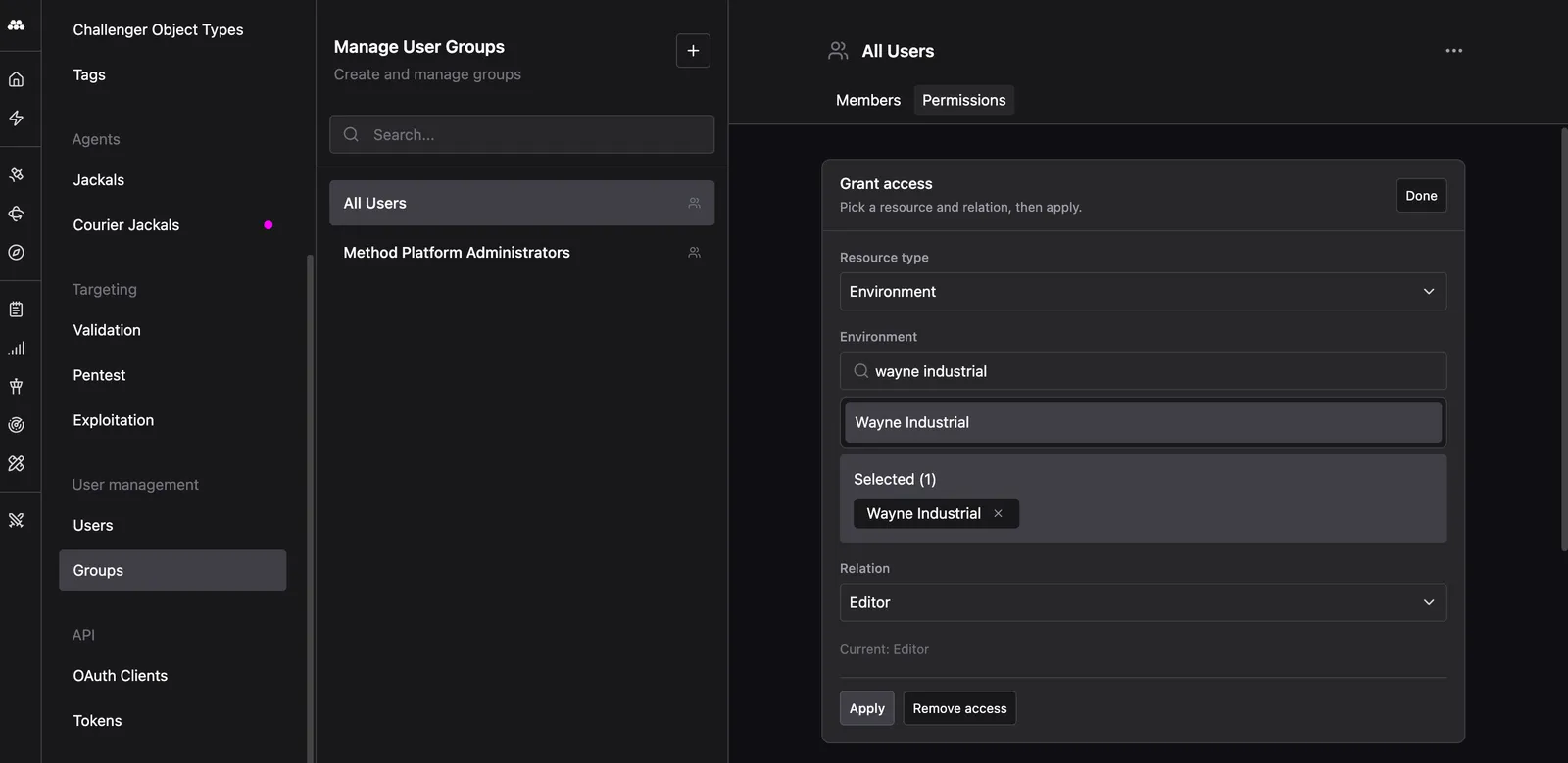
Use the Permissions tab of the Groups page to specify the permissions that each group has in relation to different platform resources.
Environment permissions
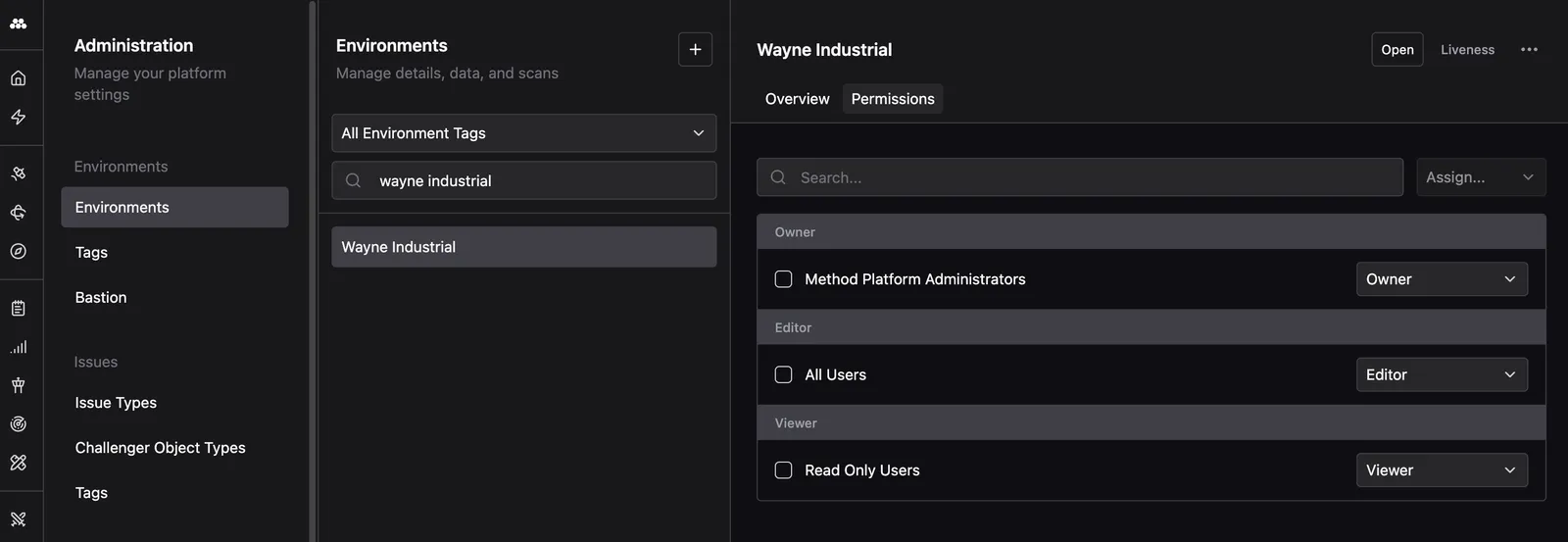
Use the Environments page in the Administration app to view and modify the permissions that each group has in relation to each existing Environment.
Default permissions for new environments
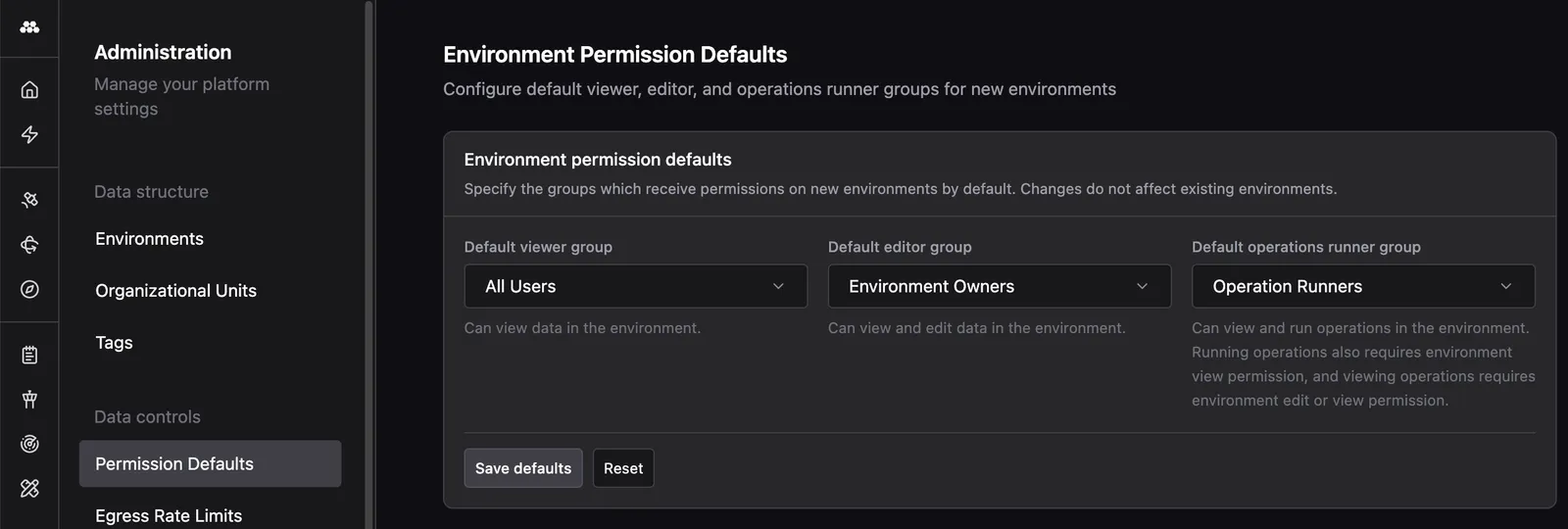
For new environments, the Permission Defaults page in the Administration app can be used to specify default permissions. These defaults are a convenience feature so that permissions do not need to be manually applied to each new environment. They can be overridden on a per-environment basis as needed.
In this example, we let the platform default of All Users view our new environment, but override the editors group such that only the Environment Owners group can edit it. We also specify that members of the Operation Runners group can run Operations in the environment, assuming that they have at least editor access to the environment.