

Choose how to run Overwatch
We see Operator used in three modes: (1) solo operator using Overwatch to leverage Method’s Agents and Ontology, (2) an Operator and Analyst team, where one owns the terminal while analyst works in the platform, and (3) a coordinated team with multiple terminals contributing to one operation, with a shared Operations Center observing.
Solo
One person runs the session end to end. They run commands in their terminal and iterate with their own Overwatch Chat alongside it. Object Findings populate as they go, and they accept or reject Object Findings themselves.
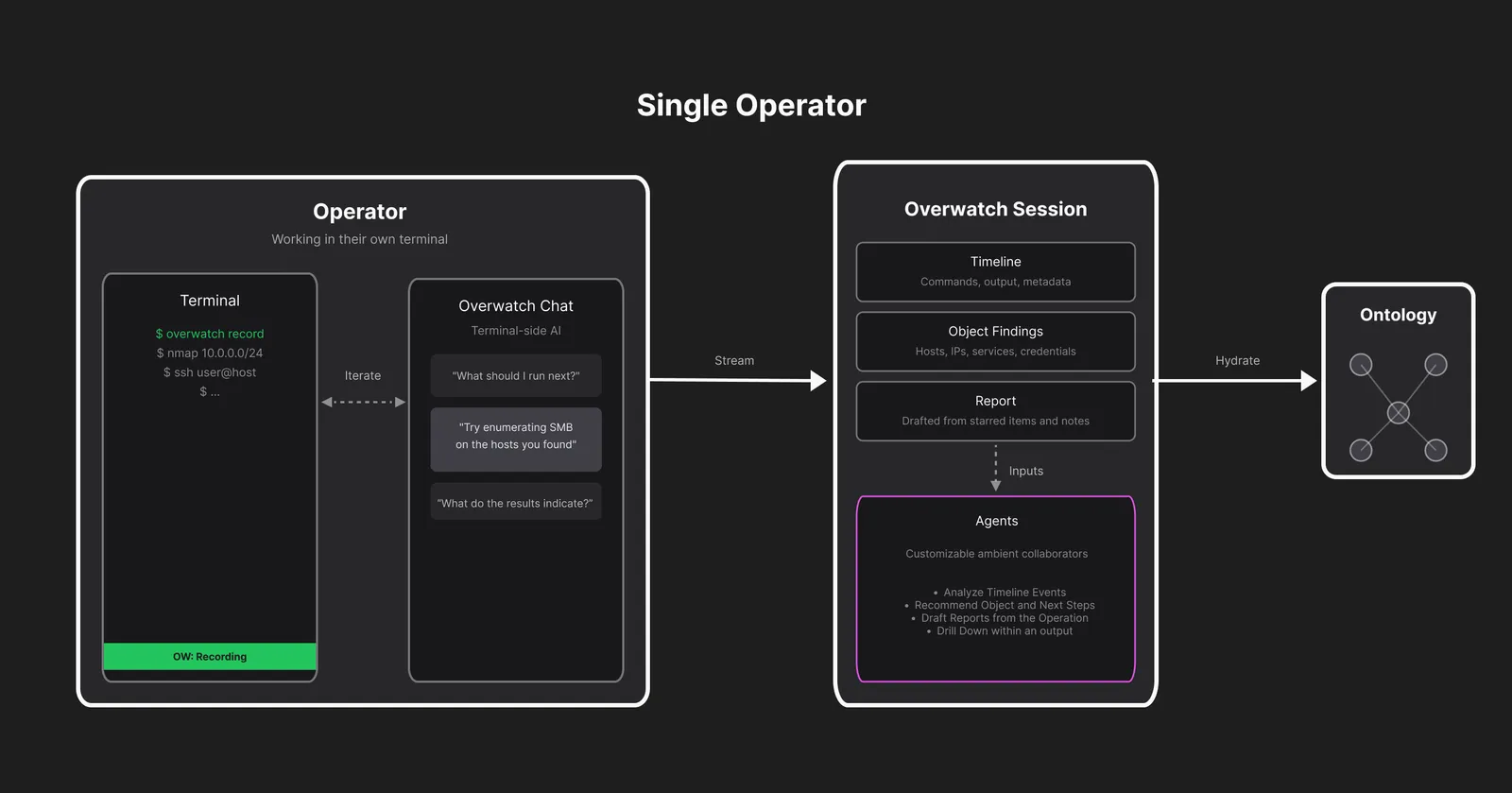
Use it when:
- A solo engagement is the right shape for the work
- The session is for quick triage, scoping, or exploration
- You want to build familiarity with Overwatch before bringing in an analyst
You get:
- Full Timeline and Object Findings capture
- Your own Overwatch Chat grounded in the session context
- Agent support for investigation, Report drafting, and next-step suggestions
- A Report at the end of the session
Terminal and analyst
Two people share the session. One person runs commands from their terminal. The analyst works in the platform, watches the Timeline as it streams in, triages Object Findings, and pushes notes or suggested commands back to the terminal without taking it over.
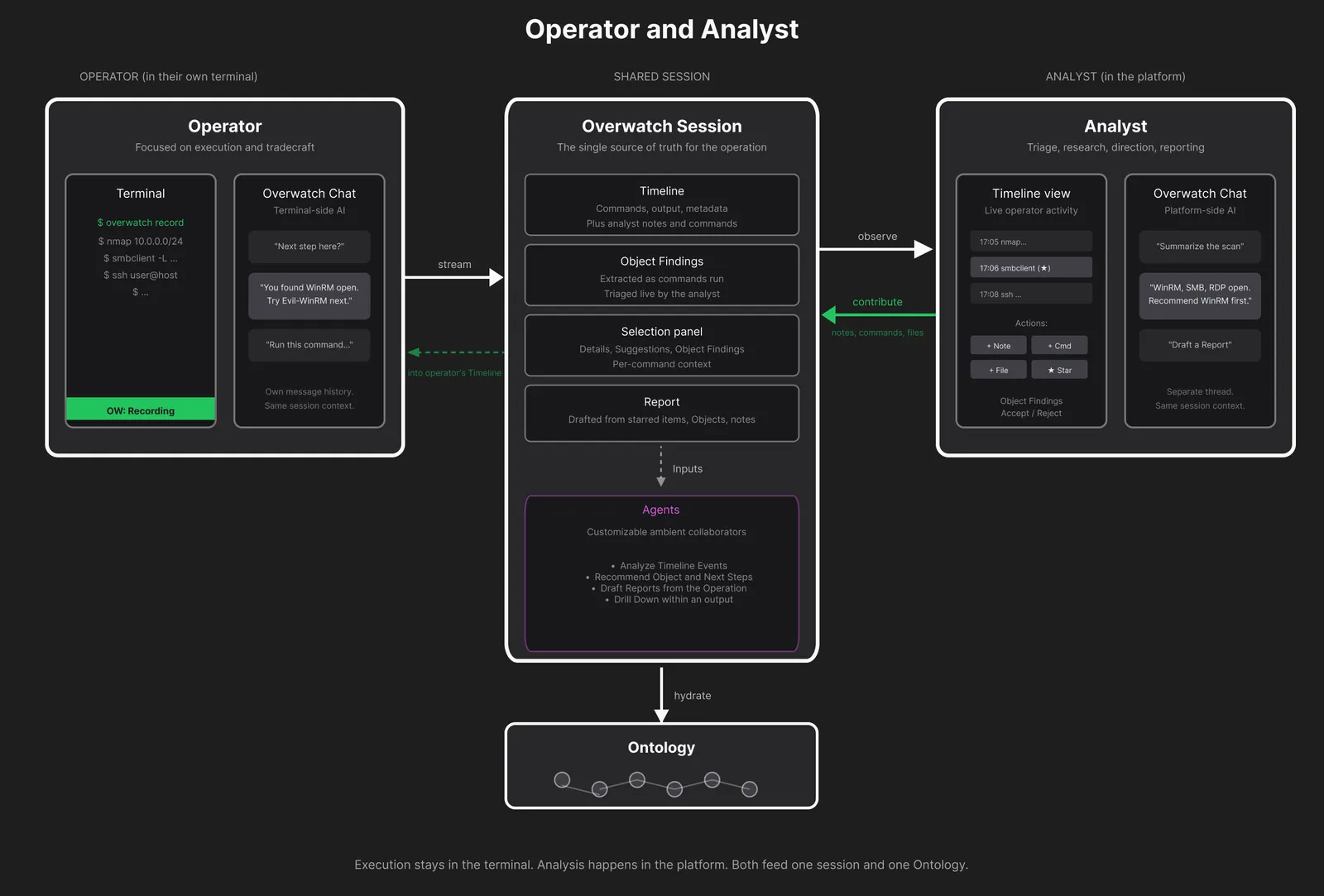
Use it when:
- You want to split execution and analysis between two people
- The person at the terminal should stay focused on tradecraft while someone else adds Objects to the Ontology and provides direction
- The session has a deliverable Report at the end
You get:
- A Chat for each of you, or a single shared Chat if the person at the terminal prefers, both grounded in the same session
- Agent support that runs alongside both users and the shared Timeline
- An analyst contributing notes, commands, and files into the Timeline live
- Faster Ontology updates because the analyst can triage Object Findings as they appear
Coordinated team
Coordinated team mode covers two shapes:
- One analyst guiding multiple terminals. Several people run their own terminals into the same session (or into parallel sessions). A single analyst watches all of them from the platform, triages Object Findings as they appear, pushes commands or notes to whichever terminal needs direction next, and keeps the broader picture coherent. One analyst can scale across more execution than the people at the terminals could coordinate on their own.
- Operations Center observing the operation. A shared display, war room, or team channel streams the live Timeline and Object Findings from one or more active sessions. Anyone in the room can see what is happening in the terminals in real time. The view is read-only, so situational awareness scales without giving session control to every viewer.
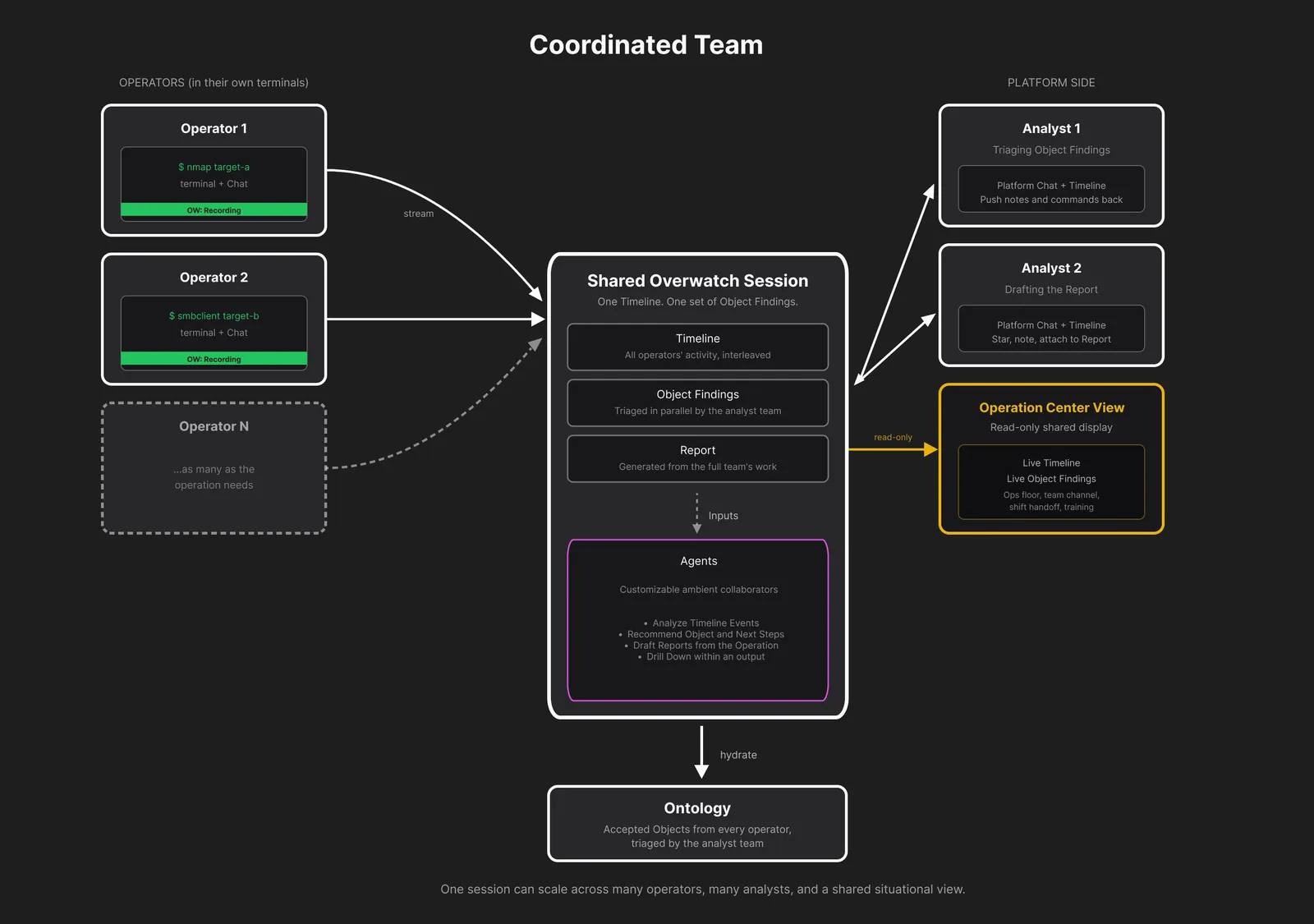
Use it when:
- A single analyst can support more terminals than they could drive themselves
- Multiple people work in parallel against the same objective
- The engagement benefits from broader situational awareness (training, high-visibility operations, shift handoffs)
You get:
- Multiple people contributing to the same session or to parallel sessions (see Collaborate on a session)
- A single Timeline and a single set of Object Findings shared across the team
- Agent support from Agent Fleet that can run across parallel terminal work
- A read-only Operations Center view suitable for displays and team channels without giving session control
Coordinated team is the direction Overwatch is built toward. Recording multiple terminals into one session works today (see Collaborate on a session). Scaling a single analyst across many terminals with a shared Operations Center view is an emerging part of this mode.
For setup and installation, see Run an Overwatch session. For the in-platform workflow during a live session, see Observe a live session. For what Overwatch is and how it fits with the rest of the platform, see Overwatch.